Introduction
Monday morning: a new compliance regulation lands. Legal needs it acknowledged by every employee. Leadership expects full completion by the end of the month. Someone checks the calendar — that’s four weeks. Someone else checks the usual development timeline for a course like this — eight to ten weeks, minimum. Nobody in that meeting is going to say “let’s just move the deadline.”
This is the exact situation rapid eLearning development was built for. It isn’t a shortcut that skips instructional rigor — done well, it’s a disciplined way of compressing timelines without compromising learning outcomes. Done badly, it produces bloated slide decks with a “Next” button, which teaches nobody anything and quietly damages the credibility of the L&D function.
This guide walks through what rapid eLearning development actually means, when to use it (and, just as importantly, when not to), our 5D framework and a step-by-step implementation roadmap, the tools worth evaluating, and the mistakes that turn a “rapid” project into a rushed one. You’ll also find a myth-busting section, a toolkit checklist, a short glossary, and two real-world project walkthroughs. For a detailed information on Corporate eLearning, please visit our guide and walkthrough.
We’ve built this guide the way we’d brief a new instructional designer joining our team — with the shortcuts that actually work, and the ones that only look like shortcuts until week three. Whether you’re facing your own four-week deadline right now or formalizing a process your team has been improvising for years, you’ll leave with a framework you can apply on your next project brief.
What Is Rapid eLearning Development?
Rapid eLearning development is the process of building online training courses in a compressed timeframe — typically one to four weeks instead of two to six months — using template-driven authoring tools, streamlined instructional design workflows, and existing content as raw material rather than a blank page. The word “rapid” describes the production timeline, not the depth of thinking behind it.
Good rapid eLearning still applies core instructional design principles: clear learning objectives mapped to Bloom’s Taxonomy, adult learning theory, and a needs analysis that confirms training is actually the right intervention. What changes is how the design and development stages are compressed — through templates, reusable interactions, SME collaboration shortcuts, and tools purpose-built for speed, such as Articulate Rise, Articulate Storyline, iSpring Suite, and Adobe Captivate.
Where rapid eLearning typically comes from:
- An existing PowerPoint deck used in classroom training
- A policy document or SOP that needs to become interactive training
- A recorded webinar or product demo
- An SME’s raw knowledge, captured through interviews
What rapid eLearning is not:
- It is not an excuse to skip a Training Needs Analysis
- It is not simply converting slides to a “click next” PDF-style course
- It is not a permanent substitute for a well-designed learning ecosystem when the topic is genuinely complex or high-stakes (like leadership development or clinical skills)
| Trainercentric Perspective: The teams that get rapid eLearning wrong almost always misunderstand what “rapid” is supposed to compress. It’s the production timeline that shrinks — not the thinking. The moment a team treats “rapid” as license to skip objective-setting or SME validation, the course stops being training and becomes a slide deck with a progress bar. |
Did You Know? The term “rapid eLearning” became widely used in the mid-2000s alongside the launch of tools like Articulate Presenter, which let subject matter experts and trainers — not just programmers — build interactive courses directly from PowerPoint. The category has since matured into a full segment of the authoring tools market.
Rapid eLearning vs. Traditional eLearning Development
Rapid eLearning development differs from traditional eLearning development primarily in timeline, tooling, and review depth: rapid projects use template-driven authoring tools and one or two review rounds to launch in 1–4 weeks, while traditional projects use custom-built interactions and multiple review cycles across 2–6+ months. The biggest misconception is that “rapid” means “traditional eLearning done carelessly” — in reality, the two approaches solve different problems and often coexist within the same L&D function.

Traditional eLearning development usually involves custom-built interactions, original illustration or video assets, deeper branching scenarios, and multiple rounds of stakeholder review — often taking two to six months per course, sometimes longer for simulation-heavy programs. Rapid eLearning development trades some of that customization for speed, using authoring tool templates, stock media libraries, and a leaner review cycle.
| Factor | Rapid eLearning Development | Traditional eLearning Development |
| Typical timeline | 1–4 weeks | 2–6+ months |
| Tools | Articulate Rise, Storyline templates, iSpring | Custom Storyline/Captivate builds, sometimes custom code |
| Visual design | Template-based, brand-kit driven | Fully custom illustration, animation, video |
| Interactivity | Standard interactions (tabs, sorting, quizzes) | Complex branching scenarios, simulations |
| Team size | Often 1 instructional designer + 1 SME | Instructional designer, visual designer, developer, SME, sometimes voice talent |
| Cost per course | Lower | Higher |
| Best for | Policy updates, product training, compliance, onboarding refreshers | Leadership development, complex simulations, flagship brand courses |
| Review cycles | 1–2 rounds | 3+ rounds typically |
| Risk if rushed | Shallow content, weak assessment | Scope creep, missed deadlines |
Neither approach is inherently superior — the right choice depends on the content’s complexity, the audience’s risk profile, and the deadline. Many mature L&D functions run both models in parallel: rapid eLearning for high-volume, lower-complexity needs, and traditional development for the handful of programs each year that genuinely need custom simulation or immersive scenario design.
| Trainercentric Perspective: Look closely at that “Review cycles” row — it’s the one we’d flag first when a rapid timeline is slipping. Projects are delayed more often by unclear stakeholder feedback than by authoring tools. Agreeing on review criteria (what “approved” actually means, and who has final say) before development begins usually saves more time than switching software. |
Where the time actually goes
Independent industry research backs up why templated development compresses timelines so much. The Chapman Alliance’s widely cited benchmark study found that basic, template-driven eLearning takes roughly 49 hours of development per finished hour of content, compared to several hundred hours per finished hour for highly custom, interactive courses — and separate ATD-affiliated research by Karl Kapp and Robyn Defelice found a comparably wide range, from roughly 34 to over 200 hours per finished hour depending on interactivity level. The gap between the low and high end of both studies is essentially the gap between rapid and traditional development.
The clearest way to see the difference isn’t the total timeline — it’s where the hours sit inside it. On a typical traditional project, development and review dominate. On a rapid project, that weight shifts toward the front (tight scoping) and the tooling absorbs most of what used to be manual build time.
| Phase | Traditional Development (approx. share of timeline) | Rapid Development (approx. share of timeline) |
| Analysis | Small | Small, but done earlier and tighter |
| Design / Storyboarding | Moderate | Compressed — often done inside the authoring tool directly |
| Development | Largest single share | Second-largest, but sped up heavily by templates |
| Review | Multiple long rounds | One or two time-boxed rounds |
| Publish / QA | Small | Small |
Rapid eLearning vs. Microlearning vs. Traditional eLearning
This is one of the most common points of confusion we see in briefs — “rapid” and “micro” get used interchangeably, but they answer different questions. Rapid eLearning is about how fast a course is built. Microlearning is about how short and focused a course is. They’re independent variables, not synonyms, and understanding the difference changes how you scope a project.
| Rapid eLearning | Microlearning | Traditional eLearning | |
| What it describes | Development speed | Content format and length | Development depth and customization |
| Typical course length | Any length (often 15–40 min) | 3–10 minutes per unit | Often 30–90+ minutes |
| Typical build time | 1–4 weeks | Hours to days per unit | 2–6+ months |
| Best for | Urgent, scoped, informational content | Reinforcement, just-in-time performance support | Complex, high-stakes, brand-critical content |
| Can overlap with the others? | Yes — most rapid courses use microlearning chunking | Yes — micro units can be built rapidly or traditionally | Rarely combined with “rapid” by definition |
| Common mistake | Treating it as always low-quality | Treating it as always standalone, never part of a bigger course | Treating it as always necessary, even for simple content |
| Trainercentric Perspective: In practice, the strongest rapid eLearning courses are built using microlearning principles — short, single-objective screens — even when the overall course runs 20–30 minutes. The two concepts aren’t competing; microlearning is one of the best tools inside a rapid eLearning project. See our full guide to Microlearning for how to structure the individual units. |
When to Use — and When NOT to Use — Rapid eLearning Development

Not every training need fits the rapid model. Using it for the wrong content produces courses that feel thin and don’t hold up under scrutiny — particularly for anything involving judgment, ambiguity, or high-stakes decision-making. The table below is the honest version of this decision, including the situations where we’d push back on a rapid approach even under deadline pressure.
| Situation | Recommended? | Why |
| Annual compliance policy updates | ✅ Yes | Existing content can be updated quickly; the delta is usually small |
| Product launch training | ✅ Yes | Fast turnaround is essential and content is largely informational |
| Onboarding and systems walkthroughs | ✅ Yes | Procedural content with a clear right/wrong answer |
| New hire process training | ✅ Yes | Well-suited to templates and reused structure |
| Safety-critical procedures | ⚠️ Caution | Rapid build is fine, but validation, testing, and SME sign-off need extra rigor — don’t compress the review step to save time here |
| Sales or technical certification content | ⚠️ Caution | Workable if scope is tight, but scenario quality matters more than speed |
| Leadership development programmes | ❌ No | Behavioral change typically requires practice, feedback, and coaching — not information transfer |
| Complex negotiation or ethics training | ❌ No | Judgment-heavy content needs deeper scenario design and facilitation, not a template |
| Brand-critical flagship programmes | ❌ No | Custom visual identity and stakeholder alignment don’t compress well |
Quick Decision Checklist
Use this checklist before committing to a rapid eLearning approach:
- ☐ Is the content primarily informational or procedural rather than judgment-based?
- ☐ Do you already have source material (SOPs, slide decks, SME knowledge) to build from?
- ☐ Is the deadline under four weeks?
- ☐ Is the audience already familiar with the underlying context, or is this a refresher?
- ☐ Can success be measured with knowledge checks rather than complex behavioral assessment?
- ☐ Is there a single, available SME who can validate content quickly?
If you checked four or more boxes, rapid eLearning development is very likely the right approach. If you checked two or fewer, consider a hybrid or traditional design process instead — or at minimum, extend the timeline.
| Trainercentric Perspective: The ⚠️ row is where most rapid projects actually go wrong — not in the clear ✅ or ❌ cases, but in safety-critical or certification content that looks simple enough to rush. Speed and validation aren’t the same lever. You can compress the build and still protect the review. |
Common Myths About Rapid eLearning
- “Rapid eLearning always means low quality.” False — quality is a function of whether objectives, content, and assessment are aligned, not how long the build took. A rushed traditional course can be worse than a well-scoped rapid one. What actually predicts quality is whether the Define step (Section 6) was done properly.
- “Rapid eLearning is only for compliance training.” False — compliance is the most common use case because it’s the most common deadline-driven request, not because rapid development is limited to it. Product training, onboarding, and process training all fit the model just as well.
- “SMEs can replace instructional designers.” False — an SME knows the content; an instructional designer knows how people learn it. Skipping instructional design and building straight from SME notes usually produces information dumps, not training. Rapid eLearning compresses the timeline for both roles, not the need for either one.
- “AI can build a complete course without human review.” False — see Section 11 below. AI accelerates drafting across almost every stage, but factual accuracy, objective-to-assessment alignment, and accessibility still require a human sign-off, especially for regulated content.
- “Rapid eLearning tools are only for beginners.” False — tools like Articulate Storyline and Adobe Captivate scale from simple template-based builds to highly custom interactions. The tool doesn’t cap your quality ceiling; how you use it does.
- “If it’s rapid, it doesn’t need a pilot.” False — a 15-minute pilot with two or three target learners is one of the fastest, cheapest ways to catch a usability problem before it reaches everyone. Skipping it doesn’t save meaningful time and risks a much bigger fix after launch.
The Rapid eLearning Development Process: Our 5D Framework
The rapid eLearning development process can be summarized in five phases: Define the objectives, Distill source material into a build plan, Develop the course in an authoring tool, Deploy it with QA and LMS tracking, and Debrief to capture what should improve next time. We call this the 5D Rapid eLearning Framework.
Most rapid eLearning advice tells you to “move fast.” That’s not a framework, it’s a wish. Over repeated projects, we’ve found the teams who stay fast and accurate are the ones protecting five specific checkpoints — no more, no fewer. This is essentially a lean, compressed version of the ADDIE Model, borrowing the iterative build-review cycle of the SAM Model so the project never gets stuck waiting on one “final” review.
D1 — Define
Before opening an authoring tool, define what the course actually needs to achieve. This doesn’t require a full Training Needs Analysis — a scaled-down version works:
- What decision or task should the learner be able to do differently after this course?
- What existing material already exists (SOPs, slide decks, past training)?
- Who is the one SME who can validate content within the timeline?
- What’s the real deadline, and is there any flexibility?
Output: A one-page project brief with 3–5 clear learning objectives, written using measurable verbs aligned to Bloom’s Taxonomy (e.g., “identify,” “apply,” “differentiate” rather than “understand” or “know”).
| Trainercentric Perspective: This is the single most skipped step under deadline pressure, and it’s also the cheapest to do properly — a tight Define phase takes under two hours and saves entire review cycles later. If you cut anywhere, do not cut here. |
D2 — Distill
Distilling is where rapid eLearning teams save the most time — by turning raw source material and SME knowledge into a lightweight build plan, rather than a heavily annotated, multi-column storyboard document.
- Use a simple table: screen number, on-screen text, visual direction, interaction type, narration (if used)
- Draft directly in the authoring tool wherever possible (e.g., building straight into Articulate Rise blocks) to eliminate a separate storyboarding pass
- Structure SME involvement tightly — send specific questions, not open-ended requests for “everything you know”; time-box SME review sessions to 30–45 minutes; use a single async review round rather than serial email threads
| Expert Tip: Prepare a short SME briefing document before your first conversation — a one-pager outlining the audience, objectives, and format. SMEs give sharper, more usable input when they understand what “done” looks like. |
D3 — Develop
This is where the course gets built using templates, interaction libraries, and reusable components.
- Build a master template/theme once and reuse it across the course and future courses
- Use existing interaction templates (tabs, accordions, sorting activities, scenario branches) rather than custom-building new interaction types
- Batch similar content types together (build all knowledge checks in one pass, all text screens in another) to stay in flow
| Trainercentric Perspective: The fastest instructional designers we’ve worked alongside aren’t necessarily the fastest tool users — they’re the ones who refuse to build anything twice. A reusable template library is worth more to your timeline than any single feature in an authoring tool. |
D4 — Deploy
Deploy covers both quality assurance and technical publishing — they happen together, not sequentially, on a compressed timeline.
- Content accuracy: Final SME sign-off
- Instructional soundness: Objectives-to-assessment alignment check
- Functional testing: Links, quizzes, branching logic, mobile responsiveness
- Accessibility basics: Alt text, color contrast, keyboard navigation
- Packaging: Publish to the correct standard — SCORM, xAPI, or cmi5 — and confirm tracking works in your LMS or LXP before wide release
A short QA Checklist you run every single time, without rebuilding it per project, is one of the highest-leverage documents a rapid eLearning team can have — it’s one of the templates we keep on hand and is available in Trainercentric’s downloads if useful.
D5 — Debrief
Rapid eLearning doesn’t end at launch, and it doesn’t end without a retrospective either.
- Track Kirkpatrick Model Level 1 (learner reaction) and Level 2 (assessment scores) data from week one
- Revisit the course after 60–90 days to check whether it needs updating
- Run a 15-minute team debrief: what slowed the project down, what template or shortcut worked, what should be added to the starter kit
| Trainercentric Perspective: Debrief is the step that compounds. Skip it once and nothing breaks. Skip it on every project and your team never actually gets faster — it just stays permanently rushed. |
Rapid eLearning Implementation Roadmap
Where the 5D framework governs decisions, this roadmap is the literal task list — the version you could hand to someone running their first rapid eLearning project this week.
- Analyze the request. Confirm the real deadline, the business driver, and who owns the final sign-off.
- Audit existing content. Identify what can be reused (SOPs, past decks, recordings) versus what needs to be created from scratch.
- Define learning objectives. Write 3–5 measurable objectives before any design work begins.
- Select the authoring tool. Match the tool to your team’s skill level and the interaction complexity required (see Section 10).
- Create a storyboard. Use a lightweight format, ideally drafted directly in the authoring tool.
- Build a prototype. Develop the first module or screen set as a proof of concept before building the full course.
- Review with SMEs. One structured, time-boxed round covering content accuracy and instructional alignment.
- Pilot the course. Test with two or three target learners before full rollout.
- Publish to the LMS. Package as SCORM, xAPI, or cmi5 and confirm tracking works correctly.
- Measure completion and performance. Track completion rates, assessment scores, and schedule a review/refresh date.
| Trainercentric Perspective: Step 6 — building a prototype before the full course — is the step most rapid teams skip, and it’s usually the one that would have saved them the most rework. A single finished module tells you more about whether the template, tone, and interaction choices are working than any amount of storyboard review. |
Rapid eLearning Project Timeline: Day by Day
Mapping the 5D framework onto a calendar makes the compression tangible. Here’s what a single 20–30 minute rapid eLearning course typically looks like against a traditional build for comparable content.
| Day | Rapid Development (5D Framework) | Traditional Development (same content) |
| Day 1 | Define — brief, objectives, scope | Kickoff meeting, stakeholder alignment begins |
| Day 2 | Distill — storyboard drafting begins | Detailed needs analysis continues |
| Day 3 | Distill — SME session 1 | Storyboard drafting begins |
| Day 5 | Develop — build begins in authoring tool | Storyboard review round 1 |
| Day 8 | Develop — build continues, SME session 2 | Visual design and asset creation begins |
| Day 10 | Deploy — QA, accessibility check | Development continues |
| Day 12 | Deploy — publish and launch | Development continues |
| ~Week 6–8 | (already live and collecting data) | First full build review round |
| ~Week 10–14 | (already in Debrief / refresh cycle) | Final review, QA, and launch |
Total for rapid: roughly 12 working days (2–3 weeks) for a single course, assuming SME availability and no major scope changes. Compliance-heavy or multi-module projects will run longer, and the traditional-development column above is illustrative of a comparable-scope project — actual timelines vary by organization, review culture, and content complexity.
Quick Checklist — Is your rapid timeline realistic? –
- [ ] SME has confirmed availability for two sessions within the timeline
- [ ] Scope is locked before Day 1 (no “let’s also add…” mid-project)
- [ ] Template/theme already exists or is built on Day 1
- [ ] Reviewer(s) have committed to a turnaround time, not just a review
What Rapid Actually Saves: An Illustrative Example
Numbers make the benefit concrete, but they vary enormously by organization, so treat the figures below as one worked example, not a universal benchmark. Its general shape lines up with the published development-time research cited in Section 2 — templated, lower-interactivity development consistently runs at a fraction of the hours-per-finished-hour ratio that custom, high-interactivity development requires.
| Metric | Traditional | Rapid | Notes |
| Development time | 10 weeks | 3 weeks | For a comparable 20–30 minute course |
| SME review cycles | 5 | 2 | Achieved through time-boxed, structured reviews |
| Course update time | 2 weeks | 3 days | When a template-based course needs a content refresh |
| Trainercentric Perspective: The update-time row is the one people underestimate most. Teams evaluate rapid eLearning purely on initial build speed and miss that the bigger long-term saving is how cheaply a templated course can be revised six months later when the policy changes again. |
Rapid eLearning Development Workflow
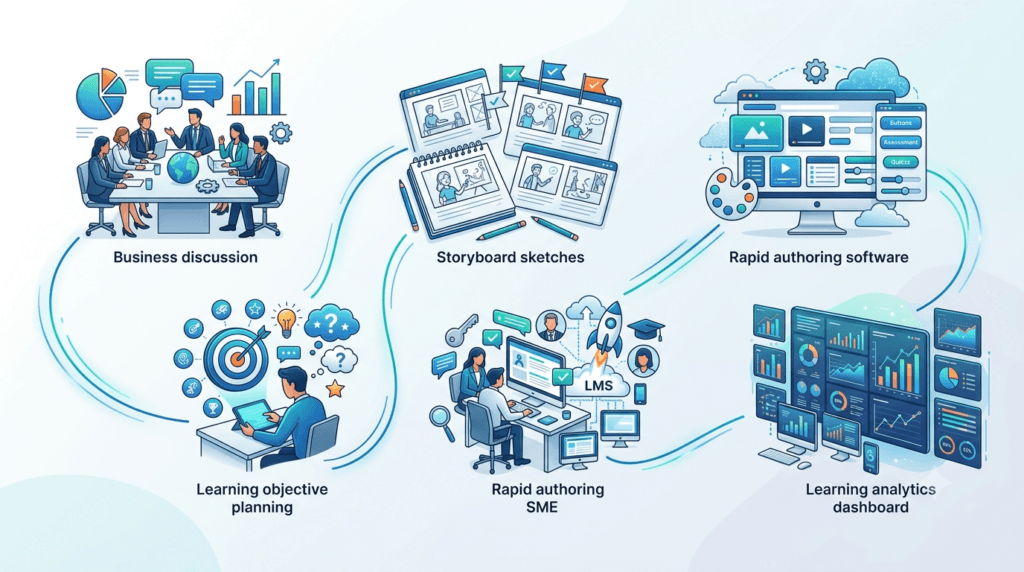
The typical rapid eLearning development workflow moves from SME to source document, to storyboard, into the authoring tool, through one review round, then out as a SCORM or xAPI package into the LMS. Separate from the 5D framework (which governs decisions) and the roadmap (which governs tasks), it helps to have a simple, literal workflow for how content physically moves through your tools. This is the version we sketch on a whiteboard for new team members:
SME → Source Document (Word/PPT) → Storyboard → Authoring Tool (e.g., Rise/Storyline) → Review → SCORM/xAPI Package → LMS/LXP
Broken down:
- SME provides raw knowledge — interview notes, existing SOPs, or a recorded walkthrough
- Source document captures that knowledge in a structured Word or PowerPoint draft
- Storyboard (often built directly in-tool, per the Distill step) translates the draft into screens, objectives, and interactions
- Authoring tool is where the actual build happens
- Review is a single time-boxed round covering content, instructional design, and functionality
- SCORM/xAPI/cmi5 package is exported once QA is complete
- LMS/LXP is where the course is deployed, tracked, and reported on
| Trainercentric Perspective: Teams that struggle with rapid timelines almost always have a workflow with more steps than this — usually extra approval loops or duplicate documentation between the source document and the storyboard. If your workflow has more than seven links in the chain, look for what you can merge. |
Rapid eLearning Development Tools: A Comparison

The best rapid eLearning development tools are Articulate Rise and iSpring Suite for template-driven builds, Articulate Storyline for custom interactivity, Adobe Captivate for software simulations, and Elucidat or dominKnow for large-team, scalable production. Tool choice matters, but it’s secondary to process discipline — the fastest authoring tool in the world won’t save a project with unclear objectives or an unavailable SME. That said, the right authoring tool meaningfully affects development speed, especially through templates and reusable content libraries.
| Tool | Best For | Learning Curve | Standout Feature | Output Formats |
| Articulate Rise | Fast, responsive, template-driven courses | Low | Pre-built responsive blocks, no manual resizing | SCORM, xAPI |
| Articulate Storyline | Custom interactions, branching scenarios | Medium–High | Timeline-based control, huge interaction library | SCORM, xAPI, cmi5 |
| Adobe Captivate | Software simulations, VR-ready content | High | Automatic software simulation capture | SCORM, xAPI |
| iSpring Suite | Teams converting PowerPoint decks quickly | Low | Native PowerPoint integration | SCORM, xAPI |
| Elucidat | Large teams needing collaborative, scalable production | Medium | Team workflow and translation management | SCORM, xAPI |
| dominKnow | Multi-device, reusable-object heavy projects | Medium | Single-source, multi-output publishing | SCORM, xAPI |
| Lectora | Accessibility-heavy, government/regulated content | Medium–High | Strong built-in accessibility (508/WCAG) checks | SCORM, xAPI |
| Camtasia | Screen-recorded and video-based microlearning | Low | Simple video editing and screen capture | MP4, SCORM (via other tools) |
How to Choose Between Them
- If your team is converting existing PowerPoint content quickly: iSpring Suite or Articulate Rise
- If you need custom branching scenarios or complex interactions: Articulate Storyline
- If your course teaches software navigation: Adobe Captivate
- If you’re producing training at scale across a large, distributed team: Elucidat or dominKnow
- If accessibility compliance is a hard requirement: Lectora
- If the format is primarily short video-based microlearning: Camtasia
Avoid This Mistake: Don’t select a rapid authoring tool based purely on what a competitor uses. Match the tool to your team’s actual skill level, your organization’s LMS/xAPI requirements, and the complexity of interactions you genuinely need — not the tool with the flashiest demo reel.
| Trainercentric Perspective: We’ve seen teams switch authoring tools mid-year expecting a speed boost and get almost none, because the bottleneck was never the software — it was an undefined review process or an SME who couldn’t commit to two sessions. Fix the process first. If the tool is still the constraint after that, switching is worth it. |
For a deeper breakdown of selection criteria, see How to Choose eLearning Authoring Tools.
Can AI Speed Up Rapid eLearning Development?
Yes — AI can meaningfully accelerate storyboarding, narration, translation, and quiz drafting in rapid eLearning projects, but it still requires human instructional design and SME review before publishing. By 2026, this isn’t an optional add-on to the conversation, it’s built into most teams’ default workflow. AI changes where time is spent rather than eliminating instructional design work altogether.

Where AI Genuinely Helps
| Use Case | What It Looks Like in Practice |
| Storyboarding | Turning a raw SME transcript or SOP into a first-draft screen-by-screen outline in minutes rather than hours |
| Voiceovers | Text-to-speech narration built directly into tools like Articulate Rise and iSpring, avoiding studio booking and turnaround time |
| Translation & localization | AI-assisted first-pass translation of course text, sped up further when paired with human review for regulated or compliance content |
| Image generation | Draft icons, backgrounds, and supporting visuals for lower-stakes, internal-facing courses |
| Quiz and assessment writing | Generating draft distractors and question variations from source content, then hand-selecting the strongest ones |
| Scenario writing | Drafting branching scenario options and consequence paths for a human instructional designer to refine |
| Accessibility support | Drafting alt text and flagging color-contrast issues during development, rather than only at final QA |
| Localization QA | Running a fast first-pass check for tone and terminology consistency across translated versions before human legal or regional review |
What AI Still Can’t Do
- Verify factual and regulatory accuracy. AI-generated content can be confidently wrong, and in compliance or safety training that’s not a minor issue — it’s a liability.
- Guarantee objective-to-assessment alignment. AI often generates plausible-sounding quiz questions that don’t actually test the stated learning objective. This still needs a human instructional design pass.
- Read organizational context. AI doesn’t know your brand voice, your last failed rollout, or which stakeholder will push back on which phrasing.
- Replace SME validation. Even a strong AI-drafted module still needs a human expert to confirm the content is correct for this organization, this policy version, this audience.
- Own accessibility and bias review end to end. AI can flag issues; it can’t be accountable for them.
| Trainercentric Perspective: We treat AI output as a first draft from a fast but inexperienced instructional designer — genuinely useful for momentum, never sufficient for sign-off. Every AI-assisted course we’ve been involved in still goes through a human instructional design and SME review pass before publishing. Teams that skip this step tend to find out the hard way, usually during an audit or a stakeholder’s careful read-through. |
For a deeper dive into responsible use, see AI in L&D and Responsible AI for Corporate Learning.
Rapid eLearning Development Checklist & Starter Kit
Every recurring rapid eLearning project draws on the same set of documents. Building these once — rather than recreating them each time — is the single biggest speed multiplier available to a rapid eLearning team.
A Rapid eLearning Starter Kit should include:
- ☐ Storyboard template — a lightweight, reusable format your whole team uses
- ☐ SME interview guide — a standard set of questions to extract usable content fast
- ☐ Brand/theme template — pre-built in your authoring tool, ready to duplicate
- ☐ Interaction library — a documented set of “go-to” interaction types mapped to common content types
- ☐ QA checklist — content, instructional, functional, and accessibility checks in one document
- ☐ Accessibility checklist — basic WCAG-aligned checks specific to your authoring tool
- ☐ SCORM/xAPI publishing checklist — packaging and LMS tracking verification steps
- ☐ Review workflow document — who reviews what, in what order, with what turnaround expectation
Trainercentric Perspective: We built our own version of this kit after realizing the same three documents were being recreated from scratch on every single project — that alone was adding two to three days to each timeline. If your team doesn’t have a version of this yet, it’s worth building even before your next urgent request lands, not during it. (If you’d rather start from a template than a blank page, this is exactly what Trainercentric’s downloadable planner and checklist set is built for.)
Rapid eLearning Development Checklist (Quick Reference)
- ☐ Objectives written and mapped to Bloom’s Taxonomy before any build work starts
- ☐ SME identified and availability confirmed
- ☐ Template/theme selected or built
- ☐ Storyboard or in-tool draft reviewed by at least one other person
- ☐ Knowledge checks aligned to specific objectives, not general topics
- ☐ Mobile responsiveness tested
- ☐ Accessibility basics checked (alt text, contrast, keyboard navigation)
- ☐ SCORM/xAPI package tested in the actual LMS before wide release
- ☐ Refresh/review date scheduled at launch, not left open-ended
Rapid eLearning Development Best Practices

- Start with objectives, not slides. Write measurable learning objectives before opening any authoring tool — this alone prevents the most common failure mode of rapid eLearning: content dumps with no instructional structure.
- Build a reusable template library. Every hour spent building a clean master template pays for itself many times over on future projects.
- Time-box every stage. Rapid eLearning fails when any single phase (usually SME review) is left open-ended. Set and communicate deadlines for every handoff.
- Chunk content using Microlearning principles, even within a single course — short, focused screens outperform dense text walls, especially on mobile.
- Design assessment alongside content, not after. Writing quiz questions at the same time as the content ensures alignment between what’s taught and what’s tested.
- Keep interactivity purposeful. A drag-and-drop activity that doesn’t reinforce a learning objective is decoration, not instructional design — and it costs development time you don’t have to spare.
- Pilot before full rollout, even on a compressed timeline. A 15-minute test with two or three target learners catches usability issues a design team won’t see.
- Plan for maintenance from day one. Rapid eLearning content — especially policy and compliance courses — ages quickly. Build with easily editable templates so updates don’t require a full rebuild.
Common Mistakes in Rapid eLearning Development
| Mistake | Why It Happens | How to Avoid It |
| Skipping needs analysis entirely | Deadline pressure makes analysis feel like a luxury | Use the scaled-down Define step — it takes under two hours |
| Treating “rapid” as “click next” page-turning | Tool defaults make text-and-next-button courses the path of least resistance | Build in at least one meaningful interaction and knowledge check per module section |
| Letting SME review drag on indefinitely | No clear deadline or format given to the SME | Time-box reviews and provide a structured feedback template |
| Overloading a single course with too many objectives | Trying to cover “everything” instead of what’s essential | Limit each course to 3–5 objectives; split larger topics into a learning path |
| Ignoring mobile and accessibility testing | Treated as a “nice to have” under time pressure | Build accessibility checks into the standard Deploy step, not as an afterthought |
| No plan for content updates | Rapid courses are seen as “done” once launched | Assign a review-and-refresh date at launch (e.g., every 6–12 months) |
| Using generic stock imagery with no relevance | Fastest option in the template library | Choose or lightly edit visuals that reflect the actual audience and context |
| Rebuilding the starter kit every project | No central template library exists | Invest in the toolkit once (Section 12) rather than repeatedly |
| Compressing validation on safety-critical content | Treating all “rapid” content the same way regardless of risk | Apply the ⚠️ guidance in Section 4 — speed the build, not the review |
Rapid eLearning Course Examples
To make this concrete, here’s the kind of content that typically gets built using a rapid approach — and roughly how it’s usually structured:
- Policy update refresher (10–15 min): One or two new/changed policy points, a short scenario-based knowledge check, and a completion record for compliance tracking
- New product knowledge course (15–25 min): Product overview, key differentiators, objection-handling scenarios, and a quiz gating access to sales materials
- Software/systems walkthrough (10–20 min): Simulated screen capture (often built in Captivate), step-by-step task practice, and a “try it yourself” simulation
- Onboarding module (20–30 min): Company overview, key policies, systems access walkthrough, and role-specific next steps
- Safety/compliance microcourse (15–20 min): Hazard identification, correct procedure selection, incident reporting simulation — see the full walkthrough in Section 16 below
- Manager communication update (5–10 min): A single-topic microlearning unit, often built and deployed within 48 hours, reinforcing a message already delivered in a team meeting
| Trainercentric Perspective: Notice that none of these examples exceed 30 minutes. If a rapid eLearning brief starts creeping toward 45–60 minutes of content, that’s usually a signal the scope needs to be split into a short learning path rather than force-fit into a single rapid course. |
Practical Example: Converting a Classroom Workshop into a Rapid eLearning Course
Scenario: A mid-sized logistics company runs a half-day, instructor-led workshop on “Warehouse Safety Fundamentals” for new hires. With hiring volume tripling due to seasonal demand, the L&D team can no longer schedule enough live sessions to keep pace, and new hires are starting work before completing safety training — a compliance risk.
Brief received: Convert the four-hour classroom workshop into a self-paced rapid eLearning course, live within three weeks, trackable in the company’s LMS.
How the team applied the 5D framework:
- Define (Day 1): The L&D specialist reviewed the existing facilitator guide and identified that only three of the workshop’s six modules covered content that genuinely required interactivity (PPE selection, hazard identification, incident reporting). The remaining three modules were largely procedural reference material, better suited to a searchable job aid than a full eLearning module. Six measurable objectives were written, each mapped to a specific workplace behavior (e.g., “select correct PPE for four common warehouse tasks” rather than “understand PPE requirements”).
- Distill (Day 2–5): Built directly inside Articulate Rise using block templates — no separate storyboard document, saving roughly two days compared to the team’s traditional process. The warehouse safety manager reviewed drafted content in two 30-minute sessions rather than an open-ended email thread, using a shared commenting document.
- Develop (Day 5–12): Built using Rise’s interactive blocks — labeled graphics for PPE identification, a sorting activity for hazard categories, and branching scenario-style knowledge checks for incident reporting.
- Deploy (Day 12–16): Because this was safety-critical content, the team followed the ⚠️ guidance from Section 4 — the build stayed on the rapid timeline, but validation didn’t shrink. Tested with three recent new hires; feedback led to shortening the hazard-identification section, which was originally text-heavy. Published as SCORM to the LMS with a required 80% assessment pass score before new hires could proceed to floor training.
- Debrief (Week 4): The team logged what worked (in-tool storyboarding) and what to fix next time (the hazard-identification section needed a template rework, now added to the starter kit).
Result: New hire safety training completion time dropped from a half-day group session to a 35-minute self-paced module, deployable the moment a new hire’s account was created — with knowledge check pass rates trending higher than the previous instructor-led post-test.
Case Study: A Retail Chain’s Compliance Rollout

Organization: A national retail chain with approximately 4,000 store-level employees across 150 locations.
Challenge: A regulatory change required all store staff to complete updated anti-harassment and workplace conduct training within 45 days — a hard external deadline set by legal and compliance, not L&D.
Constraint: The existing training was a 90-minute instructor-led program, impossible to deliver to 4,000 geographically dispersed employees within the window.
Approach:
- The L&D team partnered with legal to extract the specific policy changes rather than rebuilding the entire program from scratch — this scoped the rapid eLearning course down to roughly 20 minutes rather than a full 90-minute conversion.
- Content was built in iSpring Suite, chosen because the existing training materials were already in PowerPoint, and the team’s authoring skill level favored a low learning-curve tool under time pressure.
- Scenario-based knowledge checks (rather than simple multiple choice) were used for the highest-risk decision points, since this was compliance content where surface-level completion wasn’t an acceptable bar.
- The course was translated into three languages using a combination of AI-assisted first-pass translation and human legal review, given the workforce’s language distribution.
- Store managers received a short talking-points document to reinforce the training in team huddles — treating the eLearning course as one part of a broader rollout, not the entire intervention.
Illustrative project comparison: For context on what “rapid” meant here in practical terms, the team estimated the equivalent full rebuild — new visual design, original scenario video, multi-round legal review — would have taken roughly 10–12 weeks of combined effort. Scoping tightly to just the policy delta and using template-based development brought that down to a 5-week timeline against the 45-day (roughly 6.4-week) deadline. These figures are specific to this project’s scope and team, not a universal benchmark, but they illustrate the kind of compression tight scoping plus the right tool choice can realistically produce.
Outcome: 96% of eligible employees completed the training within the 45-day window, with the remaining 4% completing within an additional grace week. Legal confirmed the course content and completion tracking satisfied the regulatory requirement. The team retained the course structure as a reusable template for future policy-update training, cutting the next similar project’s development time roughly in half.
Key takeaway: The compressed timeline succeeded not because the team worked faster in a vacuum, but because they scoped the project tightly (updates only, not a full rebuild), chose a tool that matched their existing skillset, and treated the rapid eLearning course as one component of a broader reinforcement plan rather than the sole solution.
Rapid eLearning Templates Worth Building
If Section 12’s starter kit is the checklist, this is what each item actually looks like in practice:
- Rapid Storyboard Template — screen number, on-screen text, visual direction, interaction type, narration column, and an objective-reference column so every screen ties back to a numbered objective
- SME Interview Guide — a fixed set of opening questions (what should someone be able to do, what goes wrong when they can’t, what’s the one thing people always get wrong) that works across almost any topic
- Rapid Review Checklist — a single-page form covering content accuracy, instructional alignment, functionality, and accessibility, signed off by one reviewer instead of routed through multiple stakeholders
- QA/SCORM Publishing Checklist — the specific, tool-by-tool steps for testing tracking, completion status, and quiz scoring before a course goes live
- Rapid eLearning Project Planner — a one-page timeline template mapping the 5D framework onto actual dates for a given project
Expert Tips for Rapid eLearning Teams
- Build a rapid eLearning starter kit before you need one. This turns every future project’s setup time into near zero.
- Negotiate scope before negotiating timeline. Most “impossible” deadlines become achievable once the content scope is narrowed to what’s essential, as in the retail case study above.
- Keep a running library of reusable knowledge-check formats (scenario-based, sorting, labeled graphic) so writing assessment items becomes selection and adaptation, not creation from scratch each time.
- Protect one thing under pressure: alignment between objectives and assessment. Everything else can flex; this cannot, or the course stops being training and becomes content distribution.
- Debrief every rapid project. A 15-minute retrospective after launch — what slowed us down, what template or shortcut worked — compounds into significant time savings across a year of projects.
| Trainercentric Perspective: The fastest projects aren’t the ones with the best software — they’re the ones with clear objectives and engaged SMEs. Every timeline problem we’ve traced back far enough turns out to be one of those two things, not a tooling limitation. |
Conclusion
Rapid eLearning development isn’t about cutting corners — it’s about knowing which corners don’t need to be there in the first place. The teams that do it well protect the parts of instructional design that actually drive behavior change (clear objectives, aligned assessment, SME-validated content) while streamlining everything else: templates instead of custom builds, time-boxed reviews instead of open-ended email threads, and tools chosen to match the team’s real skill level rather than the most feature-rich option on the market. And, just as importantly, they know when not to reach for this approach at all.
If you’re building your first rapid eLearning course, start small: pick one policy update or process training need, apply the 5D framework and roadmap above, and debrief what slowed you down. Each project after that gets faster, not because you’re rushing more, but because you’re building the reusable templates, SME workflows, and decision checklists that make speed sustainable.
We’ve learned most of what’s in this guide the way most L&D teams do — by missing a deadline once, then building the process that made sure it didn’t happen again. If you’re at that stage now, Trainercentric’s storyboard template, SME interview guide, and QA checklist are built from exactly this kind of trial and error, and they’re free to adapt in the resource library whenever it’s useful.
Frequently Asked Questions
What is rapid eLearning development?
Rapid eLearning development is the process of building online training courses in a compressed timeframe — typically one to four weeks — using template-driven authoring tools and streamlined instructional design workflows, rather than the multi-month custom-build process used in traditional eLearning development.
What are the benefits of rapid eLearning?
The main benefits are speed to deployment, lower cost per course, the ability to respond quickly to urgent business needs like policy changes or product launches, and easier maintenance since template-based courses are typically faster to update than fully custom builds.
How is rapid eLearning different from traditional eLearning?
Rapid eLearning relies on templates, standard interactions, and a leaner review process, while traditional eLearning development involves custom-built interactions, original visual design, and more extensive stakeholder review cycles — usually at the cost of a much longer timeline.
What is the difference between rapid eLearning and microlearning?
Rapid eLearning describes how fast a course is built; microlearning describes how short and focused a course is. They’re independent concepts that often overlap — many rapid eLearning courses are structured using microlearning principles, but a course can be one without the other.
When should you NOT use rapid eLearning?
Avoid a rapid approach for leadership development, complex negotiation or ethics training, and brand-critical flagship programmes, where behavioral change requires practice and feedback rather than information transfer. Use extra caution — not a slower build, but stronger validation — for safety-critical procedures.
Which tools are best for rapid eLearning development?
Articulate Rise and iSpring Suite are widely used for their low learning curve and PowerPoint integration, while Articulate Storyline offers more custom interactivity for teams that need it. Adobe Captivate suits software simulation training, and Elucidat or dominKnow work well for large teams producing content at scale.
How long does rapid eLearning development take?
A single 20–30 minute rapid eLearning course typically takes two to three weeks from kickoff to launch, assuming SME availability and a clearly scoped brief. Multi-module or heavily regulated compliance courses can take longer, and actual timelines vary by organization and review culture.
What are the steps in rapid eLearning development?
Using the 5D framework, the steps are: Define (needs and objectives), Distill (storyboarding and SME collaboration), Develop (build in an authoring tool), Deploy (QA and publishing), and Debrief (evaluation and process improvement).
What are the challenges of rapid eLearning?
The most common challenges are SME availability and bandwidth, the temptation to skip needs analysis under deadline pressure, maintaining instructional quality within a compressed timeline, and building content that ages well enough to avoid constant rebuilds.
Can AI speed up rapid eLearning development?
Yes. AI tools can accelerate storyboarding, voiceover narration, translation, image generation, quiz drafting, and scenario writing, but AI-generated content still requires human instructional design and SME review before publishing, particularly for factual accuracy and objective-to-assessment alignment.
How do you ensure quality in rapid eLearning projects?
Quality is protected by keeping learning objectives and assessment tightly aligned, running at least one structured SME and instructional review cycle, testing on mobile devices, checking basic accessibility standards, and piloting the course with a small group of target learners before full rollout.
Do rapid eLearning courses need to be tracked in an LMS?
In most corporate settings, yes — particularly for compliance training, where completion and assessment records need to be tracked using standards like SCORM, xAPI, or cmi5 through a Learning Management System or Learning Experience Platform.
What templates does a rapid eLearning team actually need?
At minimum: a storyboard template, an SME interview guide, a QA/review checklist, a SCORM/xAPI publishing checklist, and a brand/theme template pre-built in your authoring tool. See Section 18 for what each one covers.
References
- Design for How People Learn || 2nd Edition || Julie Dirksen || New Riders || 2015
- Map It: The Hands-On Guide to Strategic Training Design || 1st Edition || Cathy Moore || Montesa Press || 2017
- Michael Allen’s Guide to e-Learning || 2nd Edition || Michael Allen || Wiley || 2016
- Telling Ain’t Training || 2nd Edition || Harold D. Stolovitch and Erica J. Keeps || ATD Press || 2011
- e-Learning and the Science of Instruction || 4th Edition || Ruth Colvin Clark and Richard E. Mayer || Wiley || 2016
- The Accidental Instructional Designer || 2nd Edition || Cammy Bean || ATD Press || 2023
Further Readings
- ADDIE Model Explained Step by Step with a Real Corporate Example
- SAM Model: How to Build Training Faster Without Sacrificing Quality
- Scenario-Based Learning: How to Write Branching Scenarios for Corporate Training
- Training Needs Analysis (Hub Guide)
- How to Measure Training Effectiveness Using the Kirkpatrick Model
- Microlearning: What It Is, When to Use It, and How to Design It
- Corporate eLearning Playbook: The Complete Guide to Designing, Delivering, and Scaling Digital Learning
- How to Choose the Right LMS: A Complete Selection, Evaluation, and Implementation Guide
- How to Convert Classroom Training to eLearning Without Losing Impact
- How to Choose eLearning Authoring Tool
- Learning Experience Platform (LXP): Features, Benefits, Examples and Whether You Need One
- SCORM vs xAPI vs cmi5: The Complete Guide
- How to Sequence Learning: Building a Programme That Flows
- What Is xAPI? A Practical Free Guide to the Experience API for L&D
- What Is a Learning Record Store (LRS)?
Glossary
- ADDIE Model — A five-phase instructional design model (Analysis, Design, Development, Implementation, Evaluation) that most rapid eLearning frameworks, including the 5D model above, are compressed adaptations of.
- Authoring Tool — Software used to build eLearning courses (e.g., Articulate Rise, Storyline, Adobe Captivate, iSpring Suite).
- LMS (Learning Management System) — A platform used to host, assign, track, and report on training courses within an organization.
- LXP (Learning Experience Platform) — A more learner-driven platform than a traditional LMS, often emphasizing content discovery, recommendations, and informal learning.
- Performance Support — Just-in-time resources (job aids, checklists, quick-reference guides) that help someone complete a task in the moment, rather than requiring them to complete a full course beforehand. Rapid eLearning and performance support are often used together — see Section 1 for how a procedural workshop module was split into a short course plus a separate job aid.
- SCORM — A widely used technical standard that packages eLearning content so it can be tracked (completion, scores, time spent) inside an LMS.
- SME (Subject Matter Expert) — The person with the specialized knowledge a course is built around; validates content accuracy but is not typically responsible for instructional design.
- Storyboard — A working document (or in-tool draft) that maps out a course’s screens, content, visuals, and interactions before or during development.
- xAPI (Experience API) — A more flexible tracking standard than SCORM, capable of recording learning experiences beyond a single LMS, including offline and informal learning activities.
Author Details

Anupama Mitra is a learning experience designer, writer and facilitator with a deep interest in how people learn, adapt and grow at work. With over a decade of experience in corporate learning and development, she specializes in simplifying complex ideas into practical, actionable insights. Her work focuses on leadership development, behavioral changes, making workplace learning more human and engaging. You can reach out to her at anupama@trainercentric.com