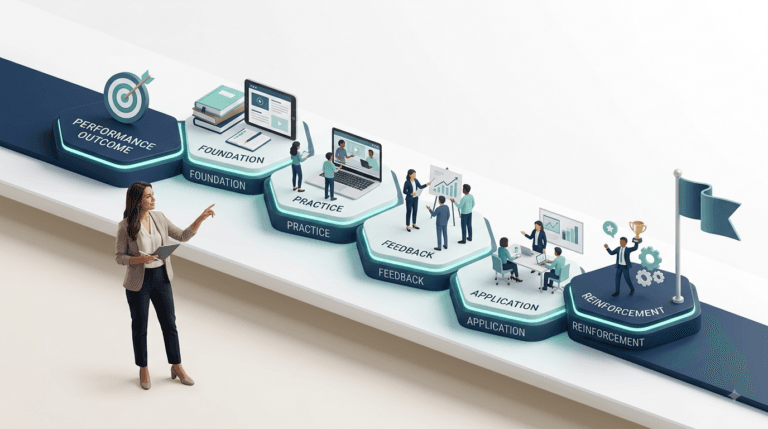
Two trainers get the same brief: teach new supervisors how to run a difficult conversation with an underperforming employee.
The first opens PowerPoint. She’s run this topic before, so she pulls slides — a model here, a video there, a role-play that went well last time. Ninety minutes later she has a solid-looking deck. What she doesn’t have is an answer to the question a stakeholder will ask afterward: how will we know it worked?
The second opens a blank page and writes one sentence: “Six weeks from now, a supervisor is in a real conversation with an underperforming employee. What does she do differently?” Only then does he decide what evidence would prove it. Only after that does he touch a slide.
Both trainers produce a session. Only one of them designs for a result.
That difference — starting from the destination instead of the itinerary — is Backward Design. This guide covers what it is, why the way most people plan fails, the psychology behind why smart trainers keep planning that way anyway, a step-by-step process, a full corporate case study built end to end, a free alignment test, 15+ mistakes, an AI prompt kit, and the questions people actually search for.
What Is Backward Design?
Backward Design is a planning framework with one rule: identify what learners should be able to do, decide what proof would show they can do it, and only then plan the instruction. Content comes last, not first.
It was formalized by Grant Wiggins and Jay McTighe in Understanding by Design (1998; second edition 2005). Three stages:
- Identify Desired Results — what should learners understand and be able to do?
- Determine Acceptable Evidence — how will you know they got there?
- Plan Learning Experiences and Instruction — what actually gets them to that evidence?
| TRAINERCENTRIC TIP: If your “learning objective” is a topic (“Understand the feedback models”), not a sentence describing what a learner can now do (“Learners can deliver feedback the recipient can act on within 24 hours”), you haven’t finished Stage 1 yet. |
Backward Design vs. Understanding by Design (UbD): Are They the Same Thing?
Close enough that most people use the terms interchangeably, but not identical. UbD is the full framework — including “big ideas,” essential questions, and a specific emphasis on designing for transfer of understanding, not just recall.
Backward Design is the three-stage planning sequence at UbD’s core. You can use the backward planning sequence without invoking every piece of UbD’s vocabulary (tiers, GRASPS, WHERETO) — plenty of trainers do exactly that. This guide uses “Backward Design” for the sequence and borrows UbD’s tools where they add value, without requiring you to adopt the whole apparatus.
Why Most Training Gets Planned Backward (Not in the Good Way)
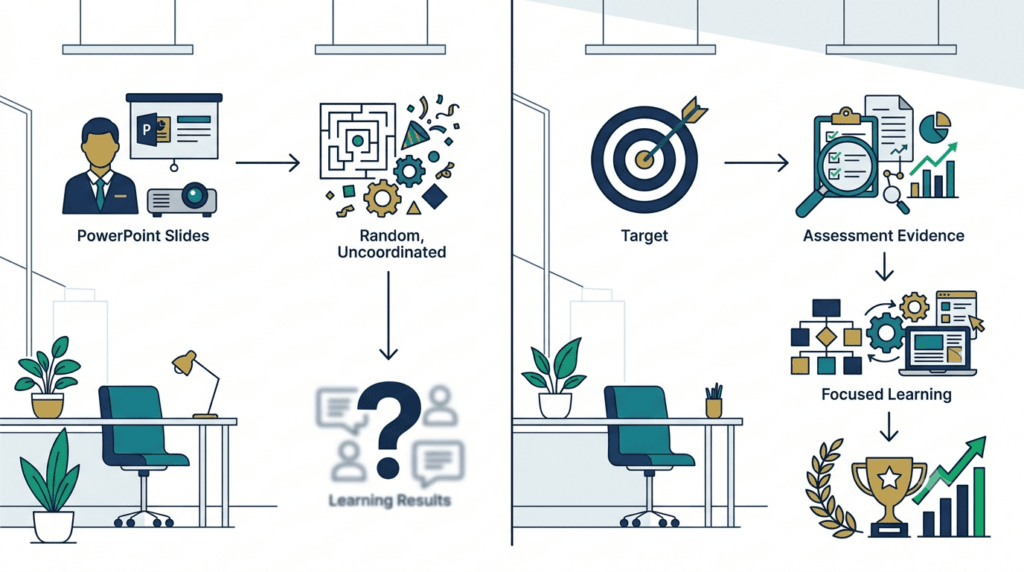
Most planning — classroom or corporate — goes: pick a topic, pick activities, deliver, check for learning near the end if at all. It fails in three predictable ways:
- It optimizes for coverage, not understanding. “Did we get through the material” quietly replaces “did anyone understand the material.”
- It’s “hands-on without being minds-on.” Engaging activities with no line back to a specific, assessable understanding.
- Assessment becomes a bolt-on. Written after content is finalized, it tests what was easy to teach, not what matters.
In corporate training this is expensive and easy to hide: a program that scores well on satisfaction surveys, gets marked “complete” in the LMS, and produces no measurable behavior change. That’s because content-first design answers “did they like it” instead of “did the behavior change” — the gap exists specifically to expose.
Why Smart Trainers Still Design the Wrong Way
None of this is about competence. It’s about incentives. Here’s what actually pulls good designers back toward content-first planning, every time:
- Time pressure. A deck by Friday feels like progress. An hour spent writing one sentence about desired results feels like nothing has happened — even though it’s the highest-leverage hour in the whole project.
- Stakeholder pressure. “Can you send me the slides so I can see where this is going?” A stakeholder asking to see content early quietly rewards content-first habits, even when they’d rather see outcomes.
- Copying old decks. Reusing a deck that “went well last time” imports someone else’s Stage 3 decisions without ever checking whether your Stage 1 is even the same.
- LMS completion mentality. When the system tracks “completed,” not “can now do,” design quietly optimizes for the metric that’s actually visible on a dashboard.
- “We’ve always taught it this way.” The single most expensive sentence in L&D. It protects existing content from ever being asked what evidence it’s supposed to produce.
| TRAINERCENTRIC TIP TrainerCentric Tip — None of these pressures go away once you know about them. The fix isn’t willpower, it’s a five-minute check you run before content starts (see the Alignment Test below) — a habit is more reliable than motivation. |
The Three Stages of Backward Design, in Practice
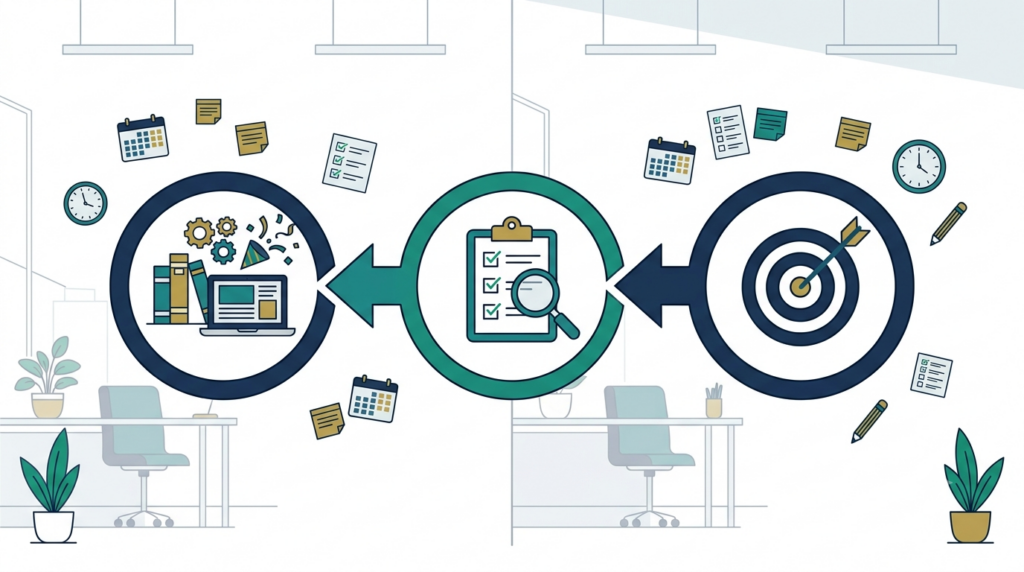
Stage 1: Identify Desired Results
Sort goals into three tiers — most designers over-invest in the first and under-invest in the third:
| Tier | What it is | Corporate example (giving feedback) |
| Worth being familiar with | Background context, lowest assessment priority | Names of feedback models (SBI, COIN) |
| Important to know/do | Core skill learners must leave with | Structuring a specific, behavior-based statement |
| Enduring understanding | The idea that survives years, applied anywhere | Feedback naming behavior changes behavior; feedback naming character doesn’t |
Write one or two essential questions — genuinely open, no lookup-able answer (“What makes feedback land as help instead of attack?”). If a web search would settle it, it isn’t essential.
Why Backward Design Feels Harder (And Why That’s a Good Sign)
Stage 1 feels slow because you’re thinking. Building slides feels productive because you’re producing something visible. Neither feeling is a reliable signal — thinking that produces no output yet is often the most valuable hour of the whole design. If Stage 1 feels uncomfortably unproductive, that’s not a warning sign. That’s the discipline working.
Stage 2: Determine Acceptable Evidence
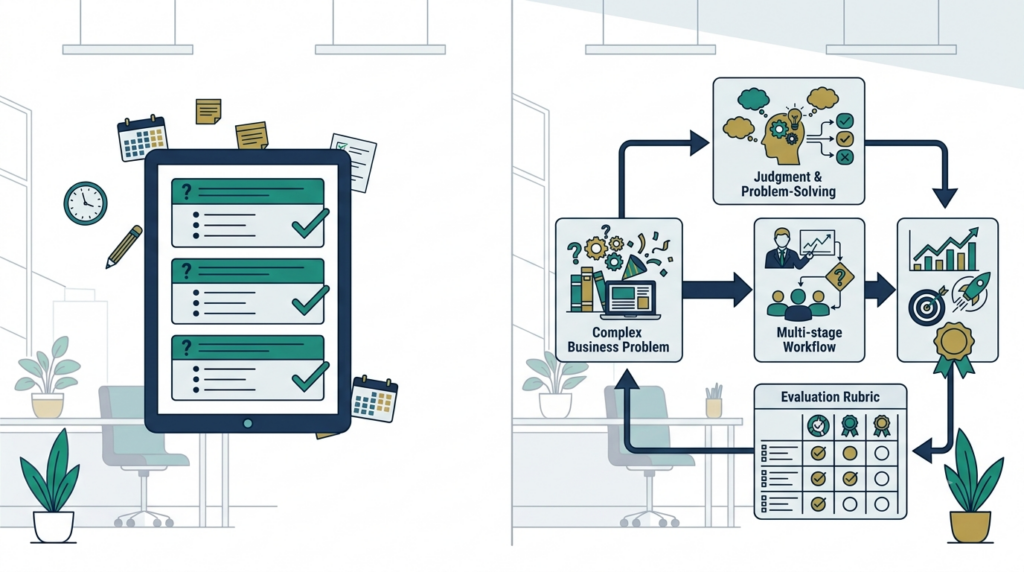
Before any content: what would prove Stage 1 happened? Evidence ranges from informal checks (polls, cold calls) to quizzes to full authentic performance tasks — realistic, novel-context applications that are the gold standard for enduring understanding.
Use GRASPS — Goal, Role, Audience, Situation, Product, Standards — to build one.
| TRAINERCENTRIC TIP — If your assessment can be passed through memorization alone, you didn’t design evidence of understanding. You designed a knowledge check wearing a performance task’s clothes. |
Stage 3: Plan Learning Experiences and Instruction
Only now does content get built, sequenced with WHERETO:
| Letter | Question |
| W | Where is this going, and why does it matter? |
| H | How do you hook interest? |
| E | What Equips learners with the needed skill? |
| R | Where do learners Rethink/Revise? |
| E | Where do they self-Evaluate? |
| T | How is it Tailored to different learners? |
| O | How is it Organized for effect? |
Every activity should trace to a specific Stage 1 or 2 item. If it doesn’t, cut it.
The TrainerCentric Alignment Test™
A three-question test you can run against any lesson, module, or deck in under five minutes — before you build anything else, or as an audit of something already built.
- Can I state the destination in one sentence — what a learner can do, in a specific situation, that they couldn’t do before?
- Do I know what proof looks like — and could that proof be passed by memorization alone? (If yes, it isn’t proof.)
- Does every activity trace back to question 1 or 2 — or is it in the deck because it’s interesting, or because it was in the deck last time?
If any answer is unclear, stop building content and go back to that question first. This is the fastest way to catch a misaligned design before time is sunk into it — and it works as a stakeholder-facing gut check as easily as a personal one.
Full Case Study: Designing a Customer Service Training From Scratch
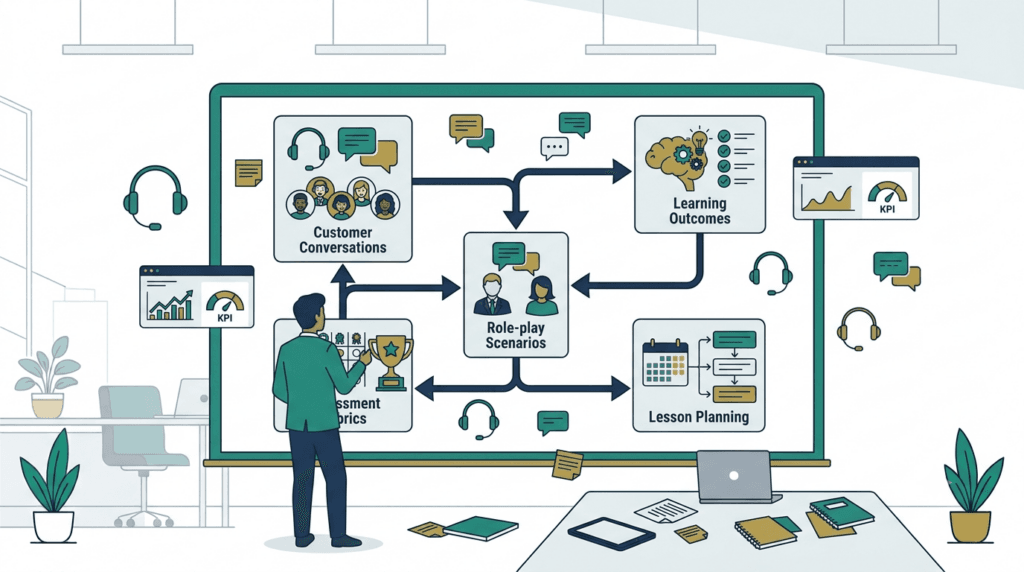
Worked examples show the shape of Backward Design. This shows the decisions — every step from a vague stakeholder request to a finished lesson plan, with the reasoning behind each choice made explicit.
The request, as given: “We need customer service training. New hires keep escalating things that shouldn’t be escalated, and customers are complaining about tone.”
Step 1: Resist the brief as given
The stakeholder handed over a topic (“customer service training”), not a destination. Before Stage 1 can start, that topic has to become a sentence about behavior. A quick round of questions with the stakeholder (“what does a rep do differently, specifically, six weeks after this training?”) surfaces the real ask: reps should be able to de-escalate a frustrated customer without either caving to an unreasonable demand or escalating unnecessarily.
Stage 1 — Desired Results
Enduring understanding: A frustrated customer is usually reacting to feeling unheard, not to the policy itself — addressing the feeling first makes the policy conversation possible.
Essential question: “What is this customer actually upset about — the answer, or not feeling heard?”
Important skill: Distinguishing a customer who needs acknowledgment from one who needs genuine escalation, and responding to each correctly.
Business outcome this maps to: Reduced unnecessary escalations; improved tone ratings on quality-monitored calls.
Stage 2 — Acceptable Evidence
Performance task (GRASPS):
Goal: De-escalate a frustrated customer and correctly decide whether to resolve or escalate.
Role: Customer service representative.
Audience: An unscripted “customer” (actor or AI voice simulation) with a grievance the rep hasn’t seen before.
Situation: A live call where the customer is frustrated but the underlying issue is resolvable without escalation — the trap is escalating out of habit.
Product: A scored, recorded call.
Standards: A rubric assessing acknowledgment-before-resolution, accurate escalation judgment, and tone.
Why this task works: a rep who has only memorized a script (“I understand your frustration…”) will use the phrase but still escalate reflexively, because the script alone doesn’t teach the judgment call. The task can only be passed by reps who’ve actually internalized the enduring understanding — which is exactly what makes it evidence, not decoration.
Stage 3 — Learning Plan (WHERETO applied)
Hook (W/H): Play two real (anonymized) call recordings — one where a rep resolves calmly, one where the same issue escalates unnecessarily. Ask: what’s different in the first thirty seconds?
Equip (E): Short input on the acknowledgment-before-resolution sequence, plus the specific signals that separate “needs to be heard” from “needs genuine escalation.”
Rethink (R): Guided practice on two contrasting scripted scenarios, with immediate peer feedback against the rubric.
Evidence (E): The unscripted performance task call, recorded.
Tailor (T): A simplified two-question decision checklist for reps still building confidence; a faster-paced variant for tenured reps who need less scaffolding.
Organize (O): Hook → input → guided practice → performance task → structured debrief, in a single 90-minute session with a follow-up check three weeks later.
The rubric, in brief
| Criterion | Does not meet | Meets | Exceeds |
| Acknowledgment | Jumps straight to policy/resolution | Acknowledges the customer’s frustration before resolving | Acknowledges specifically, in the customer’s own words |
| Escalation judgment | Escalates a resolvable issue, or fails to escalate a genuine one | Makes the correct call | Makes the correct call and explains the reasoning to the customer |
| Tone | Flat, scripted, or defensive | Calm and controlled | Calm, warm, and adapts to the customer’s specific frustration |
What happened when this was piloted
The first pilot run surfaced a Stage 2 problem, not a Stage 3 one — the original rubric only measured whether reps used the acknowledgment phrase, which meant reps who said the words but still escalated reflexively still scored “meets expectations.”
That’s the exact trap this guide warns about earlier: a rubric that rewards compliance with a script isn’t measuring understanding. The fix wasn’t new content — it was tightening the rubric to weight escalation judgment as the primary criterion, with acknowledgment as a secondary gate. Content didn’t need to change at all. The evidence did.
The most common fix at this stage of any design isn’t better content. It’s a rubric that was quietly measuring the wrong thing.
15+ Common Mistakes (and the Fix)
- Objectives written as topics, not performances. Fix: rewrite as “learners can ___.”
- Skipping Stage 2, jumping to activities. Fix: block calendar time for evidence before any authoring tool opens.
- Confusing activity completion with evidence. Fix: “would this convince a skeptical stakeholder?”
- A rubric that only checks compliance with steps. Fix: add one criterion that requires judgment in a novel situation.
- A performance task that’s a recall quiz in disguise. Fix: if it’s passable by memorization, redesign it.
- Too many “enduring understandings.” Fix: cap at one to three per unit.
- Essential question introduced once, never revisited. Fix: return to it at defined checkpoints.
- Content built before evidence is finalized. Fix: evidence is a constraint, not a formality.
- Assuming engagement equals alignment. Fix: audit every activity against “what Stage 1/2 item does this serve?”
- GRASPS filled in mechanically, scenario not actually authentic. Fix: the situation should resemble a real demand, not a template exercise.
- Differentiation bolted on after piloting reveals a gap. Fix: plan one alternate path from the start.
- One task trying to assess five things at once. Fix: tie each task to one specific understanding.
- Reusing an old activity because it “went well.” Fix: “went well” measured engagement, not evidence — re-map before reusing.
- No plan for what happens when the task reveals a gap. Fix: build a rethink/revise loop, not a one-shot final exam.
- Testing only in the exact context taught. Fix: strong evidence requires an unrehearsed context.
- Stage 1 written in isolation from the stakeholder who owns the outcome. Fix: validate against what they actually need to see change (see : How to Present TNA Results to Senior Stakeholders).
Benefits
- Assessment and instruction stay aligned by construction, not luck.
- Resists scope creep — every activity must justify itself.
- Produces stakeholder-ready evidence of impact.
- Scales from a 20-minute microlearning module to a full course.
- Surfaces vague thinking early, when it’s cheap to fix.
Challenges
- Slower up front — real thinking time, not always welcome under deadline.
- Writing a genuinely authentic performance task is a skill in itself.
- Can feel abstract to subject-matter experts used to content outlines.
- Doesn’t replace domain expertise — it structures the process, not the content.
- Over-formalizing it slows down low-stakes work that doesn’t need the full rigor.
When NOT to Use Backward Design
Not every design decision needs the full three-stage treatment. Skip or lighten it when:
- The stakes are genuinely low — a five-minute team huddle or an informal coaching moment doesn’t need a written rubric.
- You’re iterating on something already validated — small copy edits to an existing, evidence-tested module don’t require re-running the whole sequence.
- The content is pure reference material — a lookup guide or job aid isn’t teaching a transferable understanding; it’s a resource, and forcing it through Stage 1/2 adds process without benefit.
- Time genuinely doesn’t allow it — a same-day compliance update is a real constraint. Better to ship something adequate on time than something perfectly aligned two weeks late, provided you go back and tighten the evidence once the pressure passes.
Interactive decision tree for whether to use backward design, performance tasks, and how to diagnose a lesson plan’s weakest point
Is Backward Design Suitable for Every Lesson?
No, and claiming otherwise would undercut the framework’s own logic — not every learning moment needs an authentic performance task and a formal rubric. The honest answer: use the full rigor where the cost of misalignment is high (compliance-critical skills, anything tied to a measurable business outcome, anything assessed) and use a lighter version — just the destination sentence and a quick check — everywhere else. The Alignment Test above scales down as easily as it scales up; that’s a feature, not a shortcut.
Backward Design vs. Other Frameworks
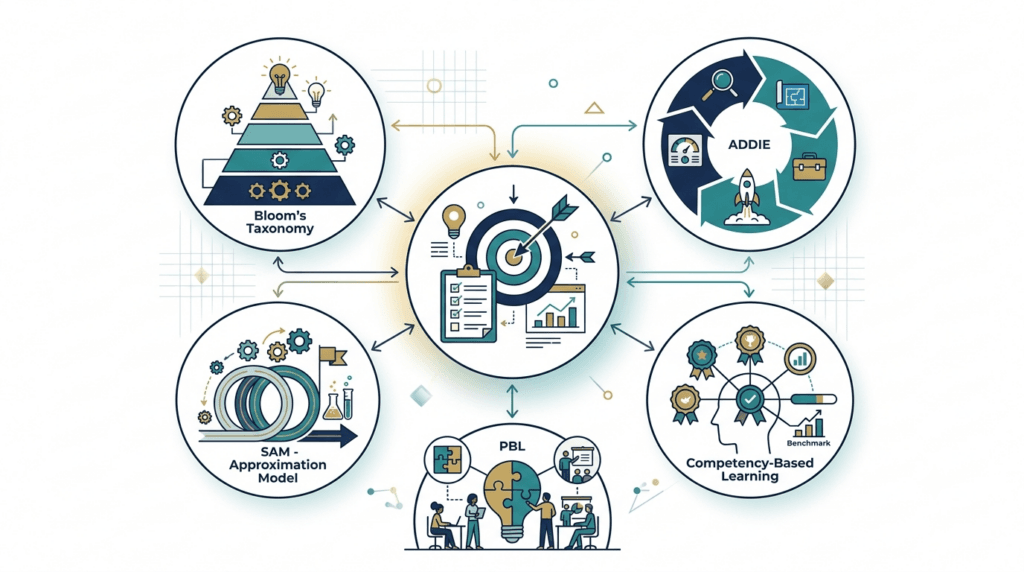
| Framework | Sequence | Best fit | Relationship |
| Forward Design | Content → activities → assessment (if any) | Quick, low-stakes teaching | What Backward Design replaces |
| ADDIE | Analyze → Design → Develop → Implement → Evaluate | Full program lifecycle | Backward Design’s stages sit inside ADDIE’s Design phase. See: ADDIE Model Explained Step by Step |
| SAM | Rapid prototype → review → revise | Fast, iterative builds | Backward Design gives each SAM cycle a fixed target. See : SAM Model |
| Bloom’s-first planning | Pick a taxonomy level, build to match | Objective-writing | Backward Design adds evidence and enduring-understanding layers Bloom’s doesn’t specify alone. See: Bloom’s Taxonomy |
| Project-Based Learning | Driving question → project → public product | Extended inquiry | Often built on Backward Design underneath |
| Competency-Based Education | Define competencies → assess mastery → advance | Self-paced, mastery-gated | Extends Backward Design’s evidence-first logic to pacing |
Backward Design Across K–12, Higher Ed, and Corporate L&D
| K–12 | Higher Education | Corporate L&D | |
| Typical “enduring understanding” | A transferable concept (e.g., cause vs. trigger) | A disciplinary judgment call (e.g., validity threats) | An observable job behavior change |
| Strongest evidence type | Novel-context transfer task | Critique of an unfamiliar real source | Unscripted role-play or simulation, scored |
| Biggest constraint | Standards coverage pressure | Large lecture sizes, limited grading time | Stakeholder deadline pressure |
| Where it’s most often skipped | Stage 2 (evidence), under coverage pressure | Stage 3 differentiation, at scale | Stage 1 (destination), under “just send me slides” pressure |
How It Connects to Other Practices
- UDL: decides what learners must demonstrate; UDL ensures more than one route to demonstrating it.
- Online/blended learning: more important, not less — no live moment to improvise a check.
- LXD: shares Stage 1’s hook-and-relevance thinking.
- Microlearning: the full sequence still runs at small scale — one understanding, one quick check, one activity.
- Scenario-Based Learning: essentially Stage 2’s performance task, built into a full interactive experience.
- Merrill’s First Principles of Instruction: Merrill’s emphasis on task-centered, problem-first instruction reinforces Stage 3’s logic directly — instruction organized around a real task, not a topic outline, is the same underlying claim Backward Design makes about evidence driving content.
AI Prompt Kit for Backward Design
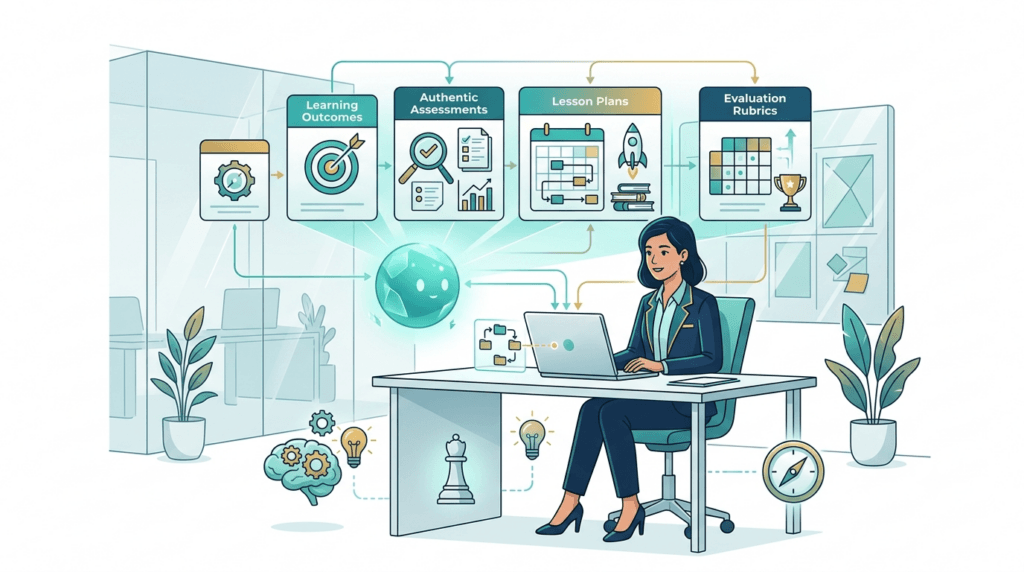
These work in ChatGPT, Claude, Gemini, Copilot, or Perplexity interchangeably — the prompt structure matters more than the tool. Use AI to accelerate drafting; keep the judgment calls (what genuinely matters, what counts as real evidence) as your own. If you are looking for a tailored and re-written prompts for trainers, see our guide on AI prompt library for trainers.
Your First Week Using Backward Design
- Day 1: Pick one upcoming session. Write the destination sentence and nothing else. Don’t open an authoring tool.
- Day 2: Draft the performance task and rubric. Run the Alignment Test’s second question against it — memorization-proof or not?
- Day 3: Sequence Stage 3 using WHERETO. Map every planned activity back to Stage 1 or 2; cut anything that doesn’t map.
- Day 4: Pilot the performance task with two or three people, not the whole session. Watch whether it actually produces the evidence you defined.
- Day 5: Fix the weakest link — it’s almost always Stage 2. Tighten the evidence before touching content again.
Frequently Asked Questions
Why does Backward Design fail in practice?
Almost always because Stage 2 gets rushed or skipped — teams write the destination, then jump straight to content, and the “evidence” that ends up in place is whatever was easiest to bolt on afterward, not something actually designed to prove the understanding.
Can Backward Design work in a 30-minute training?
Yes — the three stages scale down cleanly. One enduring understanding, one tightly scoped performance check, one activity sequence. The mistake in short formats is skipping Stage 2 because there “isn’t room,” which is exactly when a fast, well-designed check matters most.
Is Backward Design suitable for compliance training?
Partially. Compliance content often genuinely is “important to know,” not “enduring understanding” — and that’s fine; not everything needs a full performance task. Where compliance training fails is when it’s tested with recall-only quizzes for content that’s actually about judgment (e.g., recognizing a reportable situation) — that content deserves a real Stage 2 evidence task, even if the rest of the module doesn’t.
Can AI replace Backward Design?
No. AI can draft essential questions, rubric language, and scenario variations quickly, but deciding what genuinely matters (Stage 1) and what counts as real proof (Stage 2) are judgment calls tied to your specific learners and business context — AI can accelerate the drafting, not make the call.
Is Backward Design too time-consuming?
It’s slower on the first pass, mostly in Stage 1 and 2. Most designers who use it regularly report the time is recovered in less revision later, because a misaligned Stage 3 built without clear evidence usually needs far more rework than the extra planning time would have cost.
Why do some teachers dislike UbD?
The most common complaints are that it feels bureaucratic on a tight schedule, and that writing genuinely authentic performance tasks and non-trivial essential questions is a real skill that takes practice — a mechanically filled-in template produces a design that looks rigorous without actually being aligned, which understandably sours people on the framework itself rather than the execution.
What’s the difference between an enduring understanding and a learning objective?
An objective is narrower and immediately assessable — a specific skill or fact for one lesson. An enduring understanding sits above it: the bigger idea that objective serves, meant to remain true and useful well beyond that lesson.
Do I need GRASPS every time?
No — it’s a scaffold for building the habit. Experienced designers often build authentic tasks (real goal, real role, real audience, real situation) without filling in the acronym explicitly.
What’s the biggest mindset shift required to use this well?
Getting comfortable spending real time in a stage that produces no visible content yet. Stage 1 and 2 can feel unproductive because there’s nothing to show a stakeholder — treat that discomfort as a sign the discipline is working, not a sign you’re behind.
Is Backward Design the same as backward chaining?
No. Backward chaining is a technique for teaching a multi-step procedure by starting instruction at the final step. Backward Design is a broader planning framework — the shared word “backward” refers to different things entirely.
Printable Checklist
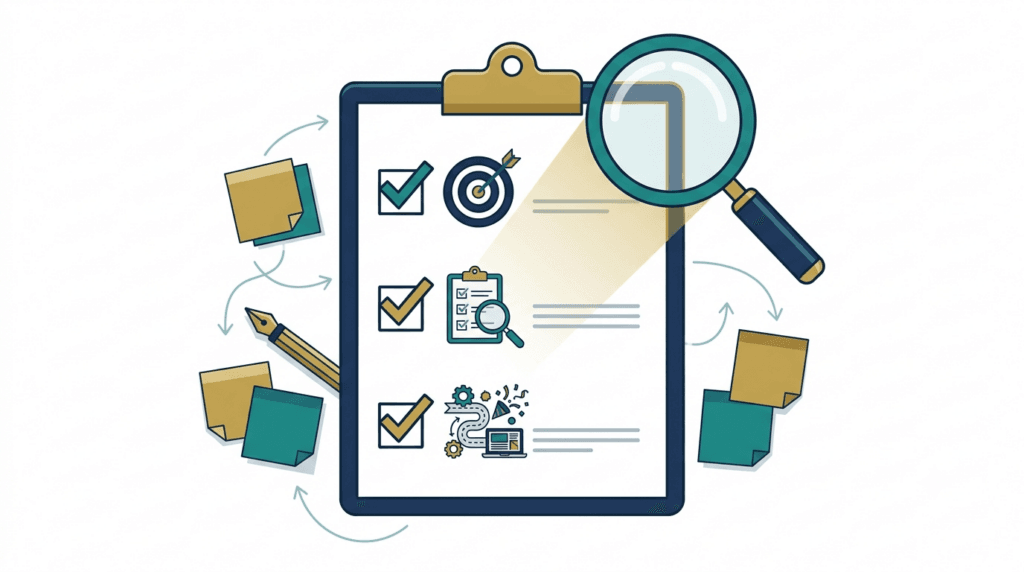
| ☐ Wrote the destination as a sentence, not a topic ☐ Drafted one or two genuinely open essential questions ☐ Defined the performance task before any content ☐ Confirmed the task is memorization-proof ☐ Drafted a rubric weighted toward judgment, not compliance ☐ Mapped every activity back to Stage 1 or 2 ☐ Built in a hook, guided practice, and a rethink/revise checkpoint ☐ Planned at least one differentiation path ☐ Ran the TrainerCentric Alignment Test before finalizing |
Take Backward Design from Theory to Practice – Download Toolkit
Understanding the framework is one thing. Applying it consistently across real projects is another.
The TrainerCentric™ Backward Design Toolkit includes 10 professionally designed templates and worksheets that help you move from ideas to implementation—whether you’re designing a workshop, a Rapid eLearning course, Corporate eLearning, a leadership programme, or a complete learning journey.
Inside the toolkit you’ll find practical resources to help you define learning outcomes, write enduring understandings and essential questions, build authentic performance tasks, develop assessment rubrics, plan learning experiences, align every activity with business outcomes, and review your designs before launch.
Instead of creating these documents from scratch every time, use a proven set of templates that keeps every stage of the Backward Design process aligned, organized, and stakeholder-ready.
Conclusion
Backward Design isn’t about making instructional design more complicated. It’s about making every design decision intentional.
Instead of asking, “What content should I teach?”, you begin with a more valuable question: “What should learners be able to do when this is over?” That single shift changes everything. Learning objectives become clearer, assessments become meaningful, and every activity earns its place because it supports a measurable outcome.
Whether you’re designing a 20-minute microlearning module, a leadership development programme, a compliance course, or an enterprise-wide learning journey, the principle remains the same: start with the destination, define the evidence of success, and then build the learning experiences that lead there.
The next time someone asks you to “put together a training programme,” resist the temptation to open PowerPoint first. Instead, open a blank page and write one sentence:
What should learners be able to do, in a real workplace situation, after this learning experience that they couldn’t do before?
Once that answer is clear, the assessment becomes obvious. The activities become purposeful. The content becomes easier to select. And your training stops being a collection of slides—it becomes a solution designed to produce real performance improvement. That’s the real promise of Backward Design.
Further Reading in Trainercentric
- Bloom’s Taxonomy
- Instruction Designing Models
- ADDIE Model of Instructional Designing
- Successive Approximation Model (SAM): Complete Guide + 8 Free Templates
- Kolb’s Learning Cycle: Using Experiential Learning in the Workplace
- Gagné’s 9 Events of Instruction: A Practical Guide for Trainers with Real Examples
- ADDIE vs SAM: Which Instructional Design Model Should You Use in 2026?
- ARCS Model of Motivation — The Complete Guide for Corporate Trainers [2026]
- Adult Learning Theory (Andragogy): Knowles’ 6 Principles Explained with Workplace Examples
- Cognitive Load Theory Explained: A Practical Guide for Trainers & Instructional Designers
- Kirkpatrick Model: How to Measure Training Effectiveness
- 12 Facilitation Skills for Corporate Trainers: The Complete Guide
- Action Mapping: A Step-by-Step Guide with Examples
- Gamification vs Game-Based Learning: What’s the Difference
- Story-Based Learning Design: A Practical 5-Step Framework
References
- Understanding by Design (3rd Edition) || Grant Wiggins & Jay McTighe || 2011
- The Understanding by Design Guide to Creating High-Quality Units (1st Edition) || Grant Wiggins & Jay McTighe || 2011
- Assessing Student Performance: Exploring the Purpose and Limits of Testing (1st Edition) || Grant Wiggins || 1993
- Educative Assessment: Designing Assessments to Inform and Improve Student Performance (1st Edition) || Grant Wiggins || 1998
- Designing Authentic Performance Tasks and Projects (1st Edition) || Jay McTighe, Kristina J. Doubet & Eric M. Carbaugh || 2020
- Embedded Formative Assessment (2nd Edition) || Dylan Wiliam || 2017
Author Details

Ankita Roy is an accomplished HR leader with over 9 years of experience driving people strategy across the telecom, logistics, and retail sectors. As Head of Human Resources at AGWANI FASHIONS, she specializes in talent management, organizational development, performance management, employee engagement, and HR transformation. Ankita has successfully led workforce planning, career framework design, succession planning, and culture-building initiatives for high-growth organizations. You can reach out to her via her linkedin Profile: https://www.linkedin.com/in/ankita-roy-398708105/