Facilitation Techniques for Corporate Trainers: The Complete Practical Guide
I once watched a trainer deliver what should have been a brilliant session. Her slides were clean. Her content was accurate, well-researched, current. She knew the subject cold — she could have taught it in her sleep.
Fifteen minutes in, three people were quietly checking email under the table. One was doodling. Two more had that glassy, polite-nod look that every experienced trainer learns to recognize as “I have left the building, but my body is still in the chair.”
Nothing was wrong with her content. What was missing was facilitation.
That’s the gap almost nobody talks about in corporate learning. We spend enormous energy perfecting slide decks, refining learning objectives, polishing case studies — and comparatively little time on the actual mechanics of how a room of adults moves from “sitting and listening” to “thinking, talking, and doing.” Content creates information. Facilitation creates learning. They are not the same job, and treating them as the same job is why so many technically excellent sessions fall flat.
This guide is different from most facilitation resources you’ll find, and it’s worth telling you why up front. It’s not a list of 25 activities with instructions attached — you can get that from a dozen other sites. It’s an attempt to hand you the thing that’s actually hard to find written down anywhere: how experienced facilitators think while they’re standing in the room — what they notice, what they ignore, and the split-second judgment calls that separate a technique executed correctly from a technique that actually lands.
Alongside the 25 techniques, this guide introduces the TrainerCentric Facilitation System™ — five connected tools that work together rather than as isolated tricks: read the room, choose the right intervention, facilitate with structure, grow deliberately, and measure what actually happened. You’ll see all five pieces in action in a full case study later in the guide.
By the end, you’ll have a working toolkit, a framework for choosing the right tool on the fly, and — hopefully — a genuinely different way of thinking about what facilitation is actually for.
What Are Facilitation Techniques?
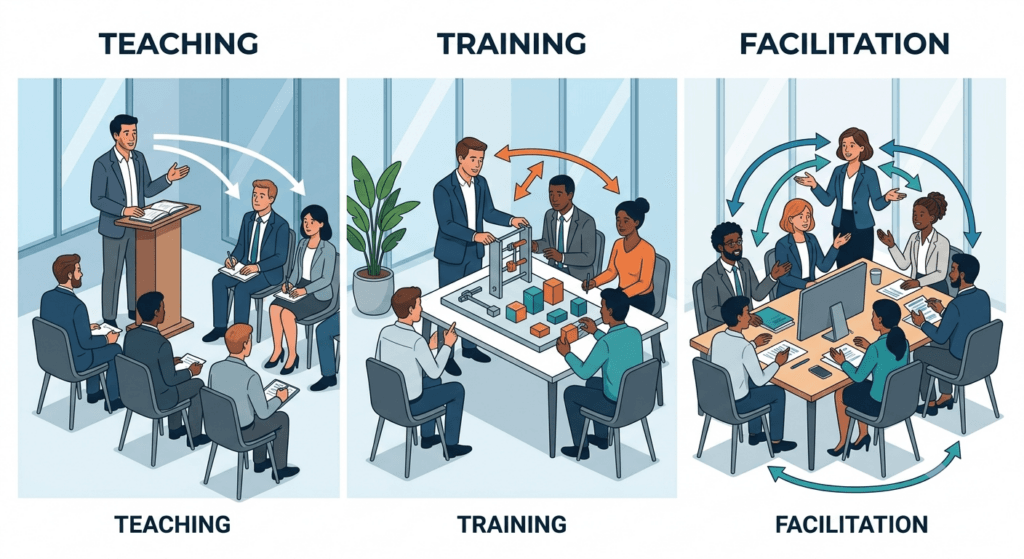
A facilitation technique is a structured method a trainer uses to get participants actively generating, sharing, testing, or applying ideas — rather than passively receiving them. That’s the whole definition, and it’s worth sitting with, because it draws a hard line between four roles that get blurred constantly in corporate L&D.
| Role | What They Do | Who’s Doing the Thinking |
| Teaching | Transfers structured knowledge, often with assessment | Teacher frames it; learner absorbs |
| Presenting | Delivers information in one direction | Presenter |
| Training | Builds a specific skill toward a performance outcome | Trainer designs the path; learner practices |
| Facilitating | Structures a process so the group generates insight, decisions, or solutions | The group |
A trainer can present content flawlessly and still fail to facilitate learning. Facilitation techniques are the mechanism that flips a session from “watching someone talk” to “doing the cognitive work yourself” — and adults only retain what they’ve actually done something with. That single fact is why this guide exists, and it’s the foundation of the six core competencies we cover in the The Complete Guide to Facilitation Skills for Corporate Trainers.
The TrainerCentric Facilitation System™
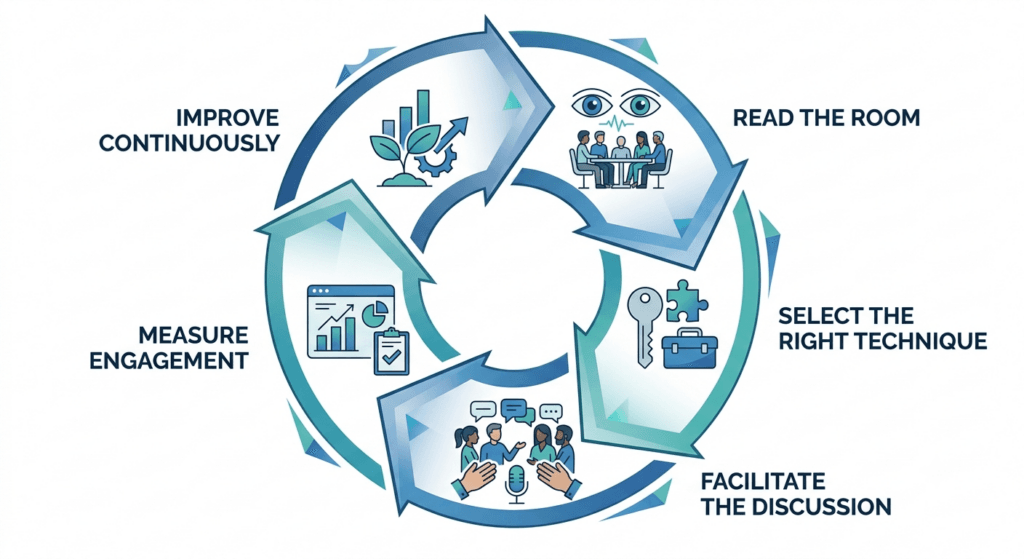
Everything original in this guide is a piece of one system, not five unrelated ideas. Here’s how they fit together, in the order you’d actually use them:
- Read the room — the Room-Read Diagnostic™ (right below), for noticing what’s actually happening under the surface of a group before you decide what to do about it.
- Choose the right intervention — the technique Decision Tree (later in this guide), for converting that read into a fast, specific choice of technique.
- Facilitate effectively — the E.N.G.A.G.E. Framework™ (later in this guide), for structuring the session itself so nothing critical gets skipped.
- Grow deliberately — the Facilitation Progression Ladder™ (later in this guide), for developing your own skill on purpose instead of by accident over years.
- Measure impact — the Facilitation Metrics that Matter (later in this guide), for knowing whether any of the above actually worked.
Most facilitation advice stops at step 3. The System exists because reading a room without a way to act on it is just anxiety, and facilitating well without measuring impact is just guessing with better vocabulary. We’ll build all five pieces across this guide, then walk through all five working together in a single case study later on.
The Room-Read Diagnostic™: What Experienced Facilitators Actually Notice
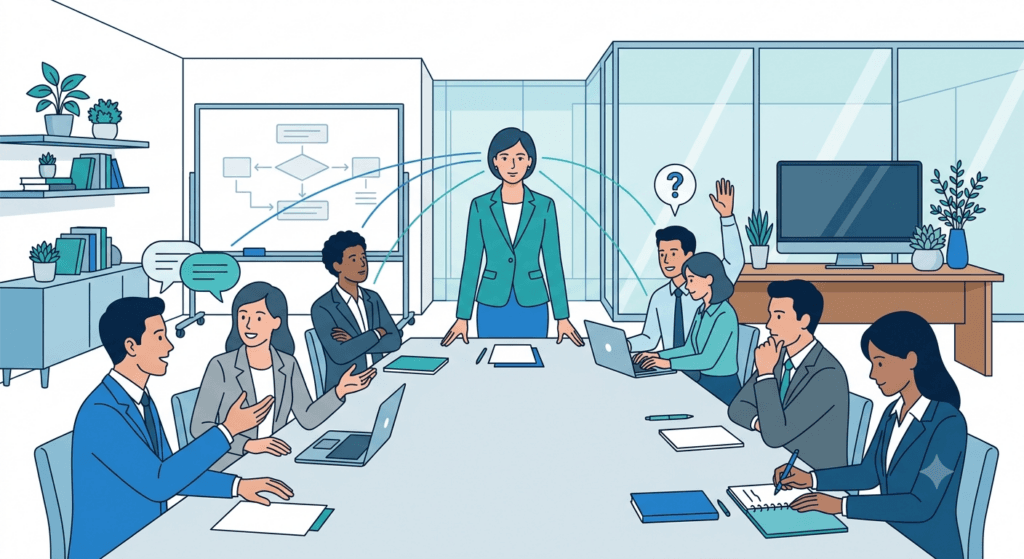
Here’s the thing nobody tells you in facilitation training: the techniques are the easy part. Anyone can learn the steps of Think-Pair-Share in five minutes. What takes years is learning to read what a room is actually telling you — because the same visible behavior can mean opposite things depending on context, and a novice facilitator reacts to the surface while an experienced one reads underneath it.
This is the first tool in the TrainerCentric Facilitation System — the pattern-recognition layer that sits above every technique in this guide. It’s built from the signals that matter most:
| What You Observe | What It Usually Means | What To Do |
| Instant answers | Often shallow processing — the group is pattern-matching to something familiar, not genuinely thinking | Add a constraint (“give me an answer nobody else in this room would give”) to force deeper processing |
| Clarifying questions | Genuine cognitive engagement — people are testing the idea against their own mental model | Good sign. Don’t rush past it to “move on with the agenda” |
| Participants debating each other (not you) | Social learning is happening — the group has taken ownership of the content | Step back. Resist the urge to referee or “correct” too early |
| Silent, focused writing | Retrieval practice in progress — this is often where the real learning is happening, even though it looks like “nothing” | Protect the silence. Don’t fill it, don’t shorten it |
| A sudden drop in note-taking | Either total disengagement or total absorption — check body posture to tell which | Cold-call gently, or ask a low-stakes check-in question |
| Someone repeating a question you already answered | The first answer didn’t land, or they weren’t cognitively present for it | Don’t just repeat yourself — rephrase using a different frame or example |
| Laughter that spreads across the room | Psychological safety is currently high — this is your window for a riskier or more vulnerable activity | Capitalize on it immediately; the window closes faster than you’d think |
| One person answering every question first | Not necessarily dominance — sometimes it’s the room deferring to them out of habit | Name it neutrally and structurally redirect (see Round Robin) rather than assuming bad intent |
This kind of read can’t really be taught from a slide — it’s built through hundreds of hours in rooms, watching what happens after each choice you make. But naming the patterns explicitly, the way we’ve done here, is how you compress years of trial and error into something you can consciously practice starting tomorrow. Once you can read the room, the next question is what to actually do about it — which is what the Decision Tree later in this guide is for.
Why Every Corporate Trainer Needs a Facilitation Toolkit
A few uncomfortable truths shape everything in this guide.
Attention span is not the enemy you think it is. The oft-cited “10-minute attention span” myth isn’t really about attention — it’s about passivity. People can stay engaged for hours in a conversation, a game, or a debate. What collapses after 10–15 minutes is tolerance for one-directional talk. Facilitation techniques reset the attention clock by changing who’s doing the work.
Adults learn differently than employees expect to be taught. Malcolm Knowles’ andragogy principles — self-direction, relevance to real problems, drawing on prior experience — aren’t academic footnotes. They explain why a case discussion pulled from your participants’ actual work outperforms a generic case study every time. We go deeper on this in Adult Learning Theory (Andragogy).
Psychological safety determines whether anyone tells the truth in your room. This isn’t a soft claim — it’s one of the better-documented findings in modern team research. Google’s internal Project Aristotle study analyzed roughly 180 teams over two years looking for what separated high performers from the rest, and the standout factor wasn’t who was on the team — it was whether members believed they could take an interpersonal risk (admit a mistake, ask a “dumb” question, challenge an idea) without being punished for it socially. Techniques like silent brainwriting or dot voting exist specifically to manufacture that safety structurally, rather than hoping it emerges on its own.
Peer learning is underused and overpowered. Participants trust “someone who does my job” more than they trust a trainer who’s never touched their systems. Round robins, fishbowls, and peer coaching all exploit this.
Knowledge without retrieval practice evaporates. Reading a slide is recognition, not recall. Cognitive scientists Henry Roediger and Jeffrey Karpicke built a substantial body of research showing that actively retrieving information from memory — even effortfully, even imperfectly — produces stronger long-term retention than restudying the same material, a pattern now widely known as the testing effect. Practically, that means a technique that makes someone generate an answer from memory (Micro Debriefs, Silent Reflection, Think-Pair-Share) is doing more retention work than a technique that simply presents the right answer clearly.
Transfer of learning is the whole point. A workshop that feels great in the room but changes nothing back at the desk has failed, no matter how good the feedback scores were. Action planning and commitment techniques exist to bridge that gap.
Read more : Kolb’s Learning Cycle: Using Experiential Learning in the Workplace and Cognitive Load Theory.
The 25 Most Effective Facilitation Techniques Every Corporate Trainer Should Know
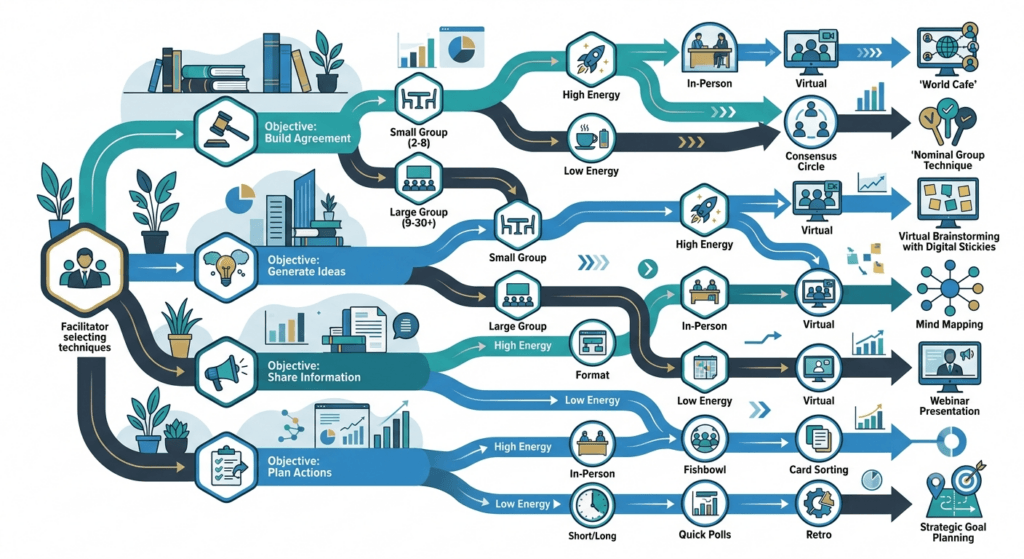
A note before you dive in: don’t try to master all 25 at once. Pick five that match your usual sessions, run them until they’re second nature, then expand. Facilitation skill is built the same way any other skill is — through repetition under real conditions, not by reading a list. We’ll check in every five techniques with an Expert Reflection to break up the format and give you a moment to actually think about what you’re reading, rather than skim it.
1. Icebreakers
- Purpose: Lower social risk and get first voices into the room before the real content starts.
- Best used when: Opening a session, especially with a group that doesn’t know each other well.
- Step-by-step: Pick a prompt tied loosely to the session topic (not generic “two truths and a lie”). Give a time box — 60–90 seconds per person. Model the answer first so people see the expected depth.
- Corporate example: Before a change-management workshop, ask each participant to share “one change at work that actually went well, and why.” It surfaces real data you can reference later.
- Virtual adaptation: Use the chat for a rapid-fire written version, then verbally unpack two or three answers.
- Hybrid adaptation: Alternate calling on room and remote participants so remote voices aren’t an afterthought.
- Common mistakes: Running an icebreaker that has nothing to do with the session content — it feels like filler and burns trust.
- Expert tip: Tie the icebreaker answer back into your content later (“Remember what Priya said about the merger rollout? That’s exactly the resistance pattern we’re covering now”).
- Duration: 5–10 minutes.
- Group size: Any.
- Difficulty: Easy.
2. Think-Pair-Share
- Purpose: Force individual thinking before social pressure kicks in, then scale it to the group.
- Best used when: You’ve asked a question and gotten silence, or you want higher-quality answers than a cold call produces.
- Step-by-step: Pose a question. Give 1–2 minutes of silent individual writing. Pair up for 2–3 minutes of discussion. Open to full group.
- Corporate example: “What’s one process in your team that wastes the most time?” — silent write, then pair, then three or four pairs report out.
- Virtual adaptation: Use breakout rooms of two; use a shared doc for the “share” phase so everyone’s answer is visible at once.
- Hybrid adaptation: Pair remote-with-remote and room-with-room to avoid audio friction, then merge for the share.
- Why it works: The silent-write step forces retrieval before social input can anchor everyone to the first person’s opinion — you get each participant’s actual thinking, not their agreement with whoever spoke first.
- Common mistakes: Skipping the silent-write step and going straight to pairs — you lose the quieter thinkers’ best ideas.
- Expert tip: The silent write is the whole engine of this technique. Never cut it, even under time pressure.
- Duration: 5–8 minutes.
- Group size: Any.
- Difficulty: Easy.
3. Round Robin
- Purpose: Guarantee every voice is heard once before open discussion takes over.
- Best used when: A few people tend to dominate, or you need a quick pulse-check from everyone.
- Step-by-step: Ask one focused question. Go around the room (or the participant list) with each person giving one sentence — no cross-talk allowed until the round finishes.
- Corporate example: End-of-day debrief: “One thing you’re taking back to your desk.”
I learned the real value of this one the hard way, running a 40-person compliance workshop years ago where two regional directors had quietly taken over every discussion by hour two. I switched to a strict Round Robin for the afternoon session, and a junior analyst who hadn’t said a word all day gave the single sharpest answer of the session. The directors weren’t trying to dominate — the room’s default structure just kept handing them the floor.
- Virtual adaptation: Use the “raise hand” queue or simply call names in gallery-view order.
- Hybrid adaptation: State clearly you’ll alternate between room and remote each turn — otherwise remote participants get forgotten.
- Common mistakes: Allowing people to pass repeatedly, which quietly re-establishes the dominance pattern you were trying to fix.
- Expert tip: Allow one “pass, come back to me” per round, not more — it respects anxiety without letting avoidance become the norm.
- Duration: 5–15 minutes depending on group size.
- Group size: Up to ~20.
- Difficulty: Easy.
4. Brainwriting
- Purpose: Generate a high volume of ideas without groupthink or the loudest voice dominating.
- Best used when: You need creative or critical ideas from a group where hierarchy makes open brainstorming risky (e.g., juniors in the room with senior leaders).
- Step-by-step: Everyone silently writes ideas on sticky notes or a shared doc for 5 minutes. Notes are passed or pooled. Round two: build on someone else’s idea. Cluster and discuss.
- Corporate example: “How could we cut approval time on expense reports?” — much richer than open brainstorm because junior staff aren’t waiting for their manager to speak first.
- Virtual adaptation: Use a digital whiteboard (Miro, Mural) with anonymous sticky notes.
- Hybrid adaptation: Give room participants physical stickies and remote participants the same digital board simultaneously; merge visually on a shared screen.
- Why it works: Traditional verbal brainstorming has a structural flaw researchers call production blocking — only one person can talk at a time, so ideas get forgotten or suppressed while people wait their turn. Diehl and Stroebe’s classic experiments found this blocking effect, not fear of judgment, explains most of the productivity loss in group brainstorming. Brainwriting sidesteps it entirely by having everyone generate in parallel, silently, at the same time.
- Common mistakes: Not anonymizing — defeats the entire purpose if senior people can see who wrote what.
- Expert tip: Silence really is the feature, not a bug. Resist the urge to “keep energy up” by talking during the writing phase.
- Duration: 15–20 minutes.
- Group size: 8–30.
- Difficulty: Medium.
5. Gallery Walk
- Purpose: Let participants absorb multiple groups’ work through movement and informal conversation rather than sequential reporting.
- Best used when: Several small groups have each produced an artifact (poster, model, plan) and you want cross-pollination without ten repetitive readouts.
- Step-by-step: Post each group’s work around the room. Give 15–20 minutes for participants to walk, read, and leave written comments or questions. Reconvene for a short synthesis discussion.
- Corporate example: Four teams each design a different onboarding journey; the gallery walk lets everyone see all four before voting on the best elements to combine.
- Virtual adaptation: Use a digital whiteboard with each group’s output on its own frame; participants navigate and comment asynchronously with sticky notes before a live synthesis call.
- Hybrid adaptation: Room groups post physically; remote groups post digitally, projected on a shared screen so room participants can “walk” the virtual gallery too.
- Common mistakes: Skipping the synthesis discussion — the walk generates energy that dies if you don’t capture it.
- Expert tip: Give walkers a specific lens (“look for one idea you’d steal”) so the walk isn’t aimless.
- Duration: 20–30 minutes.
- Group size: 15–60.
- Difficulty: Medium.
Expert Reflection — Which of these are beginners overusing? New facilitators lean hardest on Icebreakers and Brainwriting because they’re low-risk and rarely fail visibly. The technique beginners consistently under-use is Round Robin, because it feels rigid and “unfacilitator-like” compared to open discussion — but it’s often the single most reliable fix for a room where three people are doing all the talking. If you’re new to this list, force yourself to run Round Robin at least once a week until it stops feeling awkward.
6. World Café
- Purpose: Deepen and cross-pollinate discussion on multiple sub-topics through rotating small-group conversation.
- Best used when: You have several related discussion questions and want everyone exposed to all of them.
- Step-by-step: Set up “tables,” each with a different question and a stationed “table host.” Small groups rotate every 15–20 minutes; the host briefly recaps prior conversation for newcomers. After all rotations, host a whole-group harvest.
- Corporate example: A leadership offsite explores four strategic questions (talent, technology, culture, customer) — every leader touches all four instead of being stuck on one.
- Virtual adaptation: Use separate breakout rooms as “tables” with a host who stays put while participants rotate rooms each round.
- Hybrid adaptation: Mirror the same table topics in physical and virtual space; give the virtual host a physical co-host in the room to keep both groups synced on timing.
- Common mistakes: Rotations that are too short to develop real conversation, or too long so energy fades.
- Expert tip: The table host’s real job is continuity, not lecturing — train hosts to summarize in under 90 seconds.
- When I avoid this technique: Anything under 90 minutes total, or a group that doesn’t already have some shared context. World Café needs runway to work, and forcing it into a rushed 45-minute slot produces four shallow conversations instead of one good one.
- Duration: 60–90 minutes total.
- Group size: 20+.
- Difficulty: Hard.
7. Fishbowl
- Purpose: Let a subset of participants model deep, focused discussion while the rest observe and later contribute.
- Best used when: You want quality dialogue on a sensitive or complex topic without 30 people talking over each other.
- Step-by-step: 4–6 chairs in an inner circle discuss the topic; everyone else observes silently in an outer circle. Leave one inner chair empty — observers can tap in and out. After 15–20 minutes, open to full-group reflection.
- Corporate example: Discussing a controversial policy change with a mix of managers and frontline staff — the fishbowl keeps the conversation focused instead of becoming a shouting match.
The first time I ran a fishbowl with genuinely conflicting stakeholders — union reps and plant managers in the same circle — I nearly cut it short at the ten-minute mark because the silence felt unbearable. I didn’t, and that silence turned out to be the room actually thinking instead of performing. The best exchange of the whole two-day program happened in minute fourteen.
- Virtual adaptation: Spotlight 4–6 video tiles as the “inner circle”; others stay muted with cameras on as observers, using chat to request a seat.
- Hybrid adaptation: Physically seat the inner circle so remote observers have a clear camera view; rotate one remote participant into the circle each round to keep it balanced.
- Why it works: Shrinking the speaking group from 30 to 6 removes the audience-performance pressure that keeps people guarded in large groups, while the outer circle’s silent observation still builds shared understanding — everyone learns, but only a few carry the social risk at once.
- Common mistakes: Leaving the outer circle passive for too long — engagement drops if they never get a turn.
- Expert tip: Brief the inner circle beforehand that their job is dialogue, not performance — awkward silence in the fishbowl is fine and often productive.
- Duration: 25–40 minutes.
- Group size: 12–40.
- Difficulty: Hard.
8. Role Plays
- Purpose: Build applied skill (especially interpersonal and conversational skill) through rehearsal in a low-stakes environment.
- Best used when: The learning objective is a behavior — a difficult conversation, a sales pitch, a coaching moment — not just knowledge.
- Step-by-step: Give clear roles and a realistic scenario card. Run in pairs or trios (one plays the “other party,” one performs, one observes with a simple checklist). Debrief immediately after each round.
- Corporate example: Practicing a performance conversation with a struggling employee before doing it for real.
- Virtual adaptation: Breakout rooms of three, with the observer taking notes in a shared doc used for debrief.
- Hybrid adaptation: Pair room-and-remote participants using video so the “conversation” still has visible body language.
- Common mistakes: Skipping the debrief, or debriefing only on what went wrong — always start with what worked.
- Expert tip: Give the observer a short, specific checklist (3–4 items max) — vague “give feedback” instructions produce vague feedback.
- When I avoid this technique: Very senior, unfamiliar groups in their first hour together. Role plays require a baseline of trust that a room hasn’t usually built yet in the opening segment — I’ll run one later in the same session instead, once psychological safety has had time to develop.
- Duration: 20–40 minutes.
- Group size: Any, in trios.
- Difficulty: Medium.
9. Case Discussions
- Purpose: Build judgment and analytical skill by working through a realistic, ambiguous business scenario.
- Best used when: The topic requires weighing trade-offs rather than applying a single correct procedure.
- Step-by-step: Distribute the case in advance or give reading time. Small groups analyze and prepare a recommendation. Facilitate cross-group challenge and debate before revealing (if relevant) what actually happened.
- Corporate example: A real (anonymized) vendor-negotiation case from within the company — infinitely more engaging than a textbook case because participants recognize the context.
- Virtual adaptation: Pre-share the case as a doc; use breakouts for group analysis, then a moderated main-room debate.
- Hybrid adaptation: Mixed groups of room and remote participants working the same shared doc in real time.
- Common mistakes: Using a generic, off-the-shelf case with no relevance to participants’ actual world.
- Expert tip: Build your own cases from real internal situations whenever confidentiality allows — relevance beats production value every time.
- Real facilitator mistake: Early in my career I ran the same purchased case study across four different client industries because it was well-written and I was pressed for time. It landed fine in the room where it fit and fell completely flat everywhere else — participants could tell within a paragraph that it wasn’t really about them, and engagement never recovered for the rest of that segment.
- Duration: 30–60 minutes.
- Group size: Any, in small groups.
- Difficulty: Medium.
10. Scenario-Based Learning
- Purpose: Let participants practice decision-making inside a realistic, branching situation.
- Best used when: You want to build judgment under conditions that mimic real complexity and consequence.
- Step-by-step: Present a scenario with a decision point. Have participants choose a path in small groups. Reveal consequences of that path, then introduce a complication and repeat.
- Corporate example: A compliance scenario where a decision at step one changes what risks show up at step three — mirrors how real judgment calls compound.
- Virtual adaptation: Use polling tools so the whole group votes on each decision point live, then discuss the split.
- Hybrid adaptation: Combine live polling (captures remote input) with room discussion of the results before moving to the next branch.
- Common mistakes: Making the “right” path too obvious — kills the tension that makes this technique work.
- Expert tip: Build in at least one branch where the “safe-looking” choice backfires — it’s the moment people remember longest.
- Duration: 30–45 minutes.
- Group size: Any.
- Difficulty: Hard.
Read our ultimate guide on Scenario based learning to learn more on how to use scenarios to your advantages while facilitating a session.
Expert Reflection — Which techniques do executives actually respond to? Senior leaders are rarely resistant to facilitation itself — they’re resistant to feeling like they’re back in a classroom. Case Discussions, Fishbowl, and Scenario-Based Learning consistently land with executive groups because they look and feel like structured strategic conversation, not “training.” Icebreakers and Role Plays are the two techniques most likely to trigger visible eye-rolling in a room full of VPs — not because the underlying purpose is wrong, but because the framing reads as juvenile. Reframe, don’t cut: a role play becomes “a structured rehearsal” and lands fine.
11. Affinity Mapping
- Purpose: Turn a messy pile of individual ideas into organized, shared categories the group can act on.
- Best used when: You’ve just run a brainstorm or brainwriting session and need to make sense of the output.
- Step-by-step: Write each idea on its own sticky note. As a group (or in small teams), cluster similar notes together silently, then name each cluster.
- Corporate example: After brainwriting “barriers to remote collaboration,” affinity mapping might reveal three real clusters: tooling, time zones, and trust — turning 40 stickies into 3 actionable themes.
- Virtual adaptation: Digital whiteboard tools have built-in clustering features; let participants drag notes together live.
- Hybrid adaptation: Have remote participants cluster on the digital board while narrating their logic aloud for the room to hear.
- Common mistakes: The facilitator clustering alone instead of letting the group do the cognitive work — it’s faster but it isn’t facilitation.
- Expert tip: Do the clustering in silence first, discussion second — talking too early anchors everyone to the first person’s opinion.
- Duration: 15–25 minutes.
- Group size: Any.
- Difficulty: Medium.
12. Dot Voting
- Purpose: Convert a long list of options into a prioritized shortlist quickly and visibly.
- Best used when: A group has generated more ideas than time allows discussing, and you need to narrow the field fairly.
- Step-by-step: Give each participant a fixed number of “dots” (physical stickers or virtual marks — usually 3–5). Everyone votes simultaneously on the options they think matter most.
- Corporate example: Narrowing 20 proposed process improvements down to the top 5 worth a deeper working session.
- Virtual adaptation: Most whiteboard tools have a native voting feature; set a vote limit per person and a timer.
- Hybrid adaptation: Give room participants physical dot stickers and remote participants the digital equivalent, then combine the tallies on one shared view.
- Common mistakes: Letting people vote sequentially instead of simultaneously — sequential voting creates a bandwagon effect.
- Expert tip: Cap votes per item (e.g., max 2 dots on any single option) to stop one popular idea from absorbing everyone’s votes.
- Real facilitator mistake: I once ran open, unlimited dot voting on a list that included a proposal championed loudly by the most senior person in the room. Nearly every dot went to their idea within the first thirty seconds, not because it was best, but because people were visibly watching where the senior leader’s dots landed before placing their own. Anonymous, capped voting exists precisely to prevent that.
- Duration: 5–10 minutes.
- Group size: Any.
- Difficulty: Easy.
13. Silent Reflection
- Purpose: Give participants space to process without the performance pressure of speaking immediately.
- Best used when: After an emotionally significant activity, a difficult case, or a personal-application question.
- Step-by-step: Pose a reflective prompt. Give 2–5 minutes of complete silence for private writing. Optionally invite (never force) sharing afterward.
- Corporate example: After a 360-feedback exercise: “What’s one piece of feedback that surprised you, and why?” — silent write, no forced sharing.
- Virtual adaptation: Ask everyone to turn cameras off or mute notifications for true silent time; a shared “reflection doc” can hold private entries.
- Hybrid adaptation: Explicitly tell remote participants the silence is intentional (dead air on video calls otherwise reads as a tech failure).
- Why it works: This is retrieval practice in its purest form — the participant has to actively pull the insight out of memory and put it into words, rather than passively agreeing with something you’ve said. That act of generation is what makes it stick.
- Common mistakes: Filling the silence with your own talking because it feels awkward — that defeats the purpose entirely.
- Expert tip: Announce the exact duration up front (“three minutes, I’ll say when time’s up”) — unstructured silence makes people anxious; timed silence makes them productive.
- Duration: 3–8 minutes.
- Group size: Any.
- Difficulty: Easy.
14. Peer Coaching
- Purpose: Build coaching skill and problem-solving capacity by having participants coach each other on real challenges.
- Best used when: The session goal is applying a coaching model, or surfacing peer-generated solutions to real work problems.
- Step-by-step: Pair participants. One brings a real current challenge; the other coaches using a simple model (e.g., GROW). Swap roles. Debrief what coaching behaviors felt useful.
- Corporate example: New managers practicing coaching conversations on each other’s actual direct-report challenges rather than hypotheticals.
- Virtual adaptation: Breakout pairs with a shared one-page coaching-model cheat sheet pinned in chat.
- Hybrid adaptation: Pair by comfort with video, not just proximity — coaching requires reading tone and body language.
- Common mistakes: Letting the “coach” default to giving advice instead of asking questions — that’s consulting, not coaching, and undermines the whole exercise.
- Expert tip: Give the coach a strict rule for round one: no advice, only questions. It’s uncomfortable and it’s the entire point.
- Duration: 20–30 minutes.
- Group size: Any, in pairs.
- Difficulty: Medium.
15. Learning Journals
- Purpose: Build reflective habit and support transfer of learning beyond the session itself.
- Best used when: Multi-day programs or any session where you want application to continue after the room empties.
- Step-by-step: Provide a simple prompt structure (what I learned / what I’ll try / what might get in the way). Give dedicated time to write, ideally at natural transition points across the day.
- Corporate example: In a three-day leadership program, five minutes of journaling at the end of each day noticeably improves what participants recall on day three.
- Virtual adaptation: A shared or private digital doc works fine; some platforms support a persistent “notes” panel across sessions.
- Hybrid adaptation: Keep the same digital journal format for both room and remote participants so nobody’s on paper while others are digital — consistency matters more than the tool.
- Common mistakes: Treating the journal as an afterthought squeezed into the last 90 seconds — it needs real, protected time.
- Expert tip: Revisit the previous day’s journal entry at the start of the next session — it’s a two-minute retrieval-practice win that leans directly on the spacing effect research covered above.
- Duration: 5–10 minutes per instance.
- Group size: Any.
- Difficulty: Easy.
Expert Reflection — Which techniques fail online? World Café and Speed Networking suffer the most in virtual delivery, and it’s worth being honest about why: both depend on a physical energy — the low hum of a room, quick eye contact across a table — that no rotation timer or breakout room fully replicates. If you’re facilitating virtually and one of these is on your plan, budget extra time and lower your expectations for spontaneous energy, or substitute 1-2-4-All, which was built for exactly this constraint.
16. Parking Lot
- Purpose: Acknowledge off-topic or advanced questions without derailing the session’s flow.
- Best used when: Any session, but especially technical or mixed-experience-level groups where tangents are common.
- Step-by-step: Keep a visible list (flip chart or shared doc) titled “Parking Lot.” When a question arises that’s valid but off-track, write it down, confirm you’ll return to it, and continue. Address parked items before closing or via follow-up.
- Corporate example: A compliance question that’s really about a different policy entirely — park it, follow up by email post-session rather than losing 10 minutes of room time.
- Virtual adaptation: Pin a running parking-lot doc or use the chat with a dedicated thread; screen-share it so it’s visible, not just verbally acknowledged.
- Hybrid adaptation: Make sure remote participants can see the same parking-lot doc the room sees on the flip chart — a photo of a whiteboard at the end isn’t enough.
- Common mistakes: Parking a question and never returning to it — participants notice, and it erodes trust in the technique.
- Expert tip: Actually close the loop, even if it’s just “I followed up with Priya’s question by email — check your inbox.”
- Duration: Ongoing, 30 seconds per instance.
- Group size: Any.
- Difficulty: Easy.
17. Lightning Talks
- Purpose: Get a large amount of participant-generated content shared quickly, building both energy and shared knowledge.
- Best used when: You want participants to teach each other, and you have more expertise in the room than time to unpack it slowly.
- Step-by-step: Assign or invite participants to prepare a strict 3–5 minute talk on a relevant topic (a tool they use, a lesson learned, a mini case). Run several back-to-back with a hard timer.
- Corporate example: A sales enablement workshop where five reps each give a 4-minute talk on “the objection I hear most and how I handle it.”
- Virtual adaptation: Use screen-share hand-off between speakers; keep a visible countdown timer on screen to enforce the limit.
- Hybrid adaptation: Alternate room and remote speakers so both audiences stay invested throughout, not just during “their” speakers.
- Common mistakes: Not enforcing the time limit — one long talk kills the format’s energy for everyone after it.
- Expert tip: A visible, audible timer (not just the facilitator’s watch) keeps speakers honest without you having to be the bad guy.
- Duration: 20–40 minutes for 5–8 talks.
- Group size: Any.
- Difficulty: Medium.
18. Reverse Brainstorming
- Purpose: Break creative blocks by asking participants to generate the worst possible outcome first.
- Best used when: A group is stuck, overly polite, or struggling to surface real barriers.
- Step-by-step: Ask “How could we guarantee this fails?” or “How could we make this worse?” Let the group generate freely — humor is welcome. Then flip each answer into its opposite as a genuine improvement idea.
- Corporate example: “How could we guarantee employees never use the new intranet?” generates a blunt, honest list that a polite “how do we drive adoption?” question never would.
- Virtual adaptation: Digital sticky notes for the “how to fail” list, same as standard brainstorming, then flip in a second round.
- Hybrid adaptation: No special adaptation needed — this format travels well across formats since the energy comes from the reframe, not the medium.
- Common mistakes: Forgetting to flip the list back to positive actions — leaving the session on “how to fail” is deflating.
- Expert tip: This technique is disproportionately effective with cynical, change-fatigued groups because it gives permission to be honest through humor.
- Duration: 15–20 minutes.
- Group size: Any.
- Difficulty: Medium.
19. Open Space Technology
- Purpose: Let participants self-organize around the topics that matter most to them, maximizing relevance and ownership.
- Best used when: You have a broad theme, a group with diverse interests, and enough time (half-day+) to let structure emerge.
- Step-by-step: State the overarching theme. Invite anyone to propose a discussion topic and “host” it. Post topics on a wall/board with times and locations. Participants move freely between sessions (“the law of two feet” — if you’re not learning or contributing, move on).
- Corporate example: An internal innovation day where employees propose and lead their own sessions on ideas they care about, rather than being assigned tracks.
- Virtual adaptation: Use breakout rooms as the “session spaces,” with a shared board listing topics and room links; participants self-select and can hop rooms.
- Hybrid adaptation: Pair each physical session space with a corresponding breakout room and a clear signposting system so remote participants can find and join any topic.
- Common mistakes: Underestimating how much this format needs a genuinely open, non-prescribed theme — a fake “open space” with a predetermined agenda just frustrates people.
- Expert tip: Trust the self-organization. The facilitator’s job here is holding the container, not directing content.
- Duration: Half-day to full-day.
- Group size: 20+.
- Difficulty: Hard.
20. Action Planning
- Purpose: Convert insight into a concrete, owned commitment that survives contact with the participant’s actual job.
- Best used when: Near the end of any session where the goal is behavior change, not just awareness.
- Step-by-step: Provide a simple template (what I’ll do / by when / what support I need / how I’ll know it worked). Give dedicated individual writing time, then pair-share for accountability.
- Corporate example: End of a time-management workshop, each participant commits to one specific calendar change they’ll make within 48 hours — specific enough to actually happen.
- Virtual adaptation: A shared template doc that participants fill in and optionally share in chat for public accountability.
- Hybrid adaptation: Same template for everyone regardless of location; pair room-with-remote for the accountability share to build cross-group relationships.
- Common mistakes: Vague action items (“be more mindful of my time”) that have no observable trigger and quietly never happen.
- Expert tip: Push for a specificity test: could someone else watch this person’s calendar and know whether they did it? If not, it’s not specific enough yet.
- Duration: 10–15 minutes.
- Group size: Any.
- Difficulty: Easy.
Expert Reflection — Which technique fails most quietly? Action Planning is the one that fails without anyone noticing in the room. It produces genuine energy and a satisfying sense of closure — and then, three weeks later, almost none of it happened. The failure isn’t visible until you follow up, which is exactly why most trainers never see it. If you only take one thing from this reflection: build a follow-up touchpoint (even a single automated email at day 7) into every session that ends with commitments, or don’t bother running the activity at all.
21. 1-2-4-All
- Purpose: Scale individual thinking into full-group consensus efficiently, layer by layer.
- Best used when: You want every voice included but still need to converge on a shared answer within a large group.
- Step-by-step: 1 minute silent individual thinking → 2 minutes in pairs → 4 minutes in groups of four → whole-group harvest of the strongest ideas.
- Corporate example: “What’s the single biggest blocker to cross-team collaboration?” scales cleanly from 1 person’s view to a converged group answer in under 15 minutes, even with 60 people in the room.
- Virtual adaptation: Sequential breakout room sizes (pairs, then quads) with a shared doc capturing the “4” stage output before the whole-group harvest.
- Hybrid adaptation: Keep pairs and quads same-location where possible (room-with-room, remote-with-remote) to avoid tech friction during fast transitions.
- Common mistakes: Rushing the transitions so people don’t actually finish each stage — this technique lives or dies on tight but sufficient timing.
- Expert tip: This is one of the most reliable techniques for large groups (50+) because it scales structure, not just conversation.
- Duration: 15–20 minutes.
- Group size: 20–200+.
- Difficulty: Medium.
22. TRIZ (Reverse Innovation)
- Purpose: Identify and deliberately eliminate the behaviors currently sabotaging a desired outcome.
- Best used when: A team keeps failing at the same goal (e.g., meeting deadlines, giving feedback) and needs to name what they’re actually doing wrong before fixing it.
- Step-by-step: Ask “What could we do to guarantee we fail at [goal]?” — generate a full list. Then ask, honestly, “Which of these are we already doing, even a little?” Finally: “What’s the first step to stop?”
- Corporate example: A team struggling with meeting punctuality lists “letting meetings run over,” “not sending agendas,” “scheduling back-to-back with no buffer” — and realizes they’re doing all three.
- Virtual adaptation: Anonymous digital sticky notes for the “already doing this” admission step — anonymity meaningfully increases honesty here.
- Hybrid adaptation: Keep the honesty-admission step anonymous and digital for everyone, room and remote alike, to avoid the room’s dynamics suppressing candor.
- Why it works: People find it far easier to admit fault when the frame is “identify sabotage” rather than “confess failure” — the reframing lowers the psychological cost of honesty without lowering the honesty itself.
- Common mistakes: Skipping straight to solutions without the honest self-admission step — that step is where the real value lives.
- Expert tip: I’ve watched this technique surface, in fifteen minutes, root causes that a full day of “root cause analysis” workshops had missed entirely — because nobody had ever been given permission to just say it out loud.
- Duration: 20–30 minutes.
- Group size: 5–25.
- Difficulty: Medium.
23. Appreciative Inquiry
- Purpose: Build momentum for change by starting from what’s already working, rather than diagnosing what’s broken.
- Best used when: Groups are change-fatigued, or a “problem-focused” framing has failed to generate energy in the past.
- Step-by-step: Discover (identify a peak past success) → Dream (imagine what more of that would look like) → Design (co-create the conditions for it) → Deliver (commit to concrete next steps).
- Corporate example: Instead of “why is customer satisfaction low,” ask “tell me about a time a customer interaction went exceptionally well — what made it work?” and build the improvement plan from those patterns.
- Virtual adaptation: Breakout pairs for the “Discover” storytelling stage works especially well on video — it’s inherently a conversational, narrative technique.
- Hybrid adaptation: No major changes needed; ensure the “Design” stage output is captured on one shared, visible artifact for both room and remote participants.
- Common mistakes: Treating this as toxic positivity that avoids real problems — done well, it surfaces the same issues, just through a more energizing entry point.
- Expert tip: This is the single best technique for groups burned out by yet another “here’s what’s wrong with us” session.
- Duration: 45–90 minutes for the full 4-D cycle.
- Group size: Any.
- Difficulty: Hard.
24. Speed Networking
- Purpose: Rapidly build cross-functional relationships and surface shared challenges across a large, unfamiliar group.
- Best used when: Opening a large workshop, conference, or cross-departmental program where participants don’t know each other.
- Step-by-step: Pair participants for a tightly timed (2–3 minute) structured exchange using a specific prompt. Rotate pairs every round; run 4–6 rounds.
- Corporate example: A cross-department onboarding day where new hires meet six people from other teams in 20 minutes, each exchange anchored to “what does your team wish other teams understood about you?”
- Virtual adaptation: Automated breakout-room rotation features (available in most platforms) handle this well — set the rotation timer and let it run.
- Hybrid adaptation: This is genuinely difficult to run well hybrid because rotation speed favors one medium; consider running room and remote as two separate speed-networking tracks rather than forcing cross-pairing.
- Common mistakes: Prompts that are too generic (“tell me about yourself”) — specific prompts produce far more memorable exchanges.
- Expert tip: End with a “who would you like to follow up with” capture step — the technique’s real value often shows up after the session, not during it.
- Duration: 20–30 minutes.
- Group size: 20+.
- Difficulty: Medium.
25. Micro Debriefs
- Purpose: Lock in learning immediately after an activity, before the group’s attention moves on.
- Best used when: After literally any activity — this is less a standalone technique and more a mandatory companion to every other technique on this list.
- Step-by-step: Ask three questions in sequence: “What happened?” (facts) → “So what?” (meaning/insight) → “Now what?” (application). Keep it fast — 3–5 minutes.
- Corporate example: After any role play, case discussion, or simulation, the micro debrief is what actually converts the activity into a lesson rather than just an experience.
- Virtual adaptation: Use a quick poll or chat prompt for the “what happened” facts stage to gather input fast before verbal discussion.
- Hybrid adaptation: No adaptation needed structurally — just make sure you’re explicitly inviting remote voices into each of the three questions, not just the room.
- Why it works: This maps directly onto the retrieval-practice research covered earlier — asking people to reconstruct “what happened” from memory, right after it happened, is what actually cements the experience into something they’ll recall weeks later, not just something they enjoyed in the moment.
- Common mistakes: Skipping the debrief because you’re short on time — this is the single most common cause of “fun activity, no learning” feedback.
- Expert tip: If you only have time for one thing after an activity, it’s this. Never sacrifice the debrief to save five minutes.
- Duration: 3–5 minutes.
- Group size: Any.
- Difficulty: Easy.
Facilitation Techniques by Workshop Stage
Different stages of a session need different tools. Here’s how the 25 techniques map onto a typical workshop arc.
| Stage | Purpose | Best-Fit Techniques |
| Opening | Lower risk, build psychological safety | Icebreakers, Round Robin, Speed Networking |
| Exploration | Surface prior knowledge and real problems | Think-Pair-Share, Brainwriting, Reverse Brainstorming |
| Discussion | Deepen understanding through dialogue | World Café, Fishbowl, Case Discussions |
| Practice | Build applied skill | Role Plays, Scenario-Based Learning, Peer Coaching |
| Reflection | Consolidate meaning | Silent Reflection, Learning Journals, Micro Debriefs |
| Commitment | Lock in intended behavior change | Action Planning, TRIZ, Appreciative Inquiry (Design/Deliver) |
| Closing | End with clarity and energy | Lightning Talks, Dot Voting (on key takeaways), 1-2-4-All |
Facilitation Techniques by Learning Objective
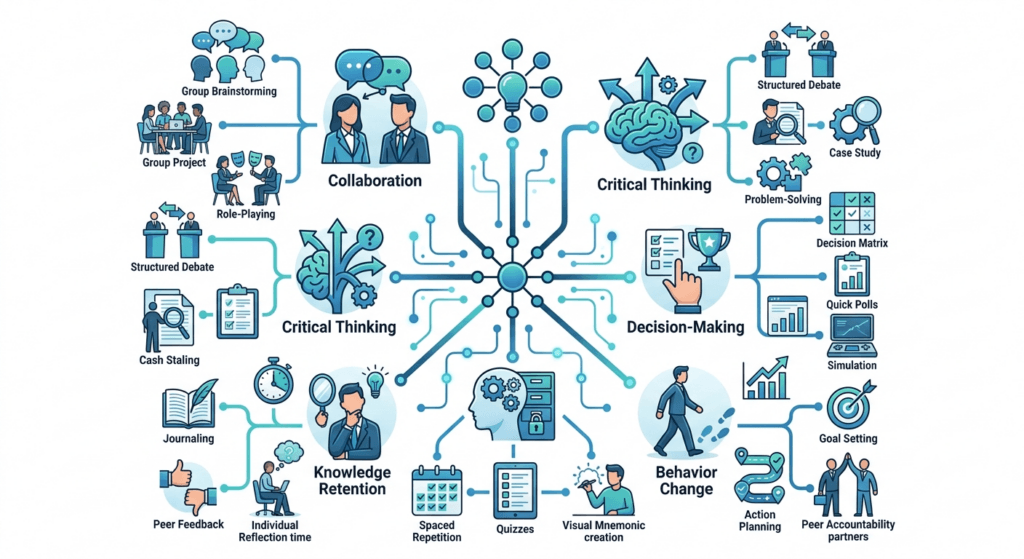
Workshop stage tells you when to use a technique. Learning objective tells you why. These are the two lenses experienced facilitators run simultaneously, and it’s worth mapping separately because the two don’t always line up — a technique that’s perfect for “opening” isn’t automatically the right one for “building critical thinking.”
If you need critical thinking: Fishbowl, Case Discussions, Reverse Brainstorming, TRIZ — all four force participants to hold multiple perspectives or challenge a default assumption, rather than accept a single “correct” answer.
If you need knowledge retention: Micro Debriefs, Silent Reflection, Think-Pair-Share, Learning Journals — all built on retrieval practice, the single most reliable lever for long-term recall covered in the research section above.
If you need behavior change: Role Plays, Action Planning, Peer Coaching — knowledge and even insight rarely change behavior on their own; only rehearsal and a concrete, owned commitment reliably do.
If you need buy-in or reduced resistance: Appreciative Inquiry, TRIZ, Reverse Brainstorming — all three work by changing the emotional frame of a hard conversation (starting from strength, starting from humor, starting from honest admission) rather than confronting resistance head-on.
If you need fast convergence in a large group: 1-2-4-All, Dot Voting, Affinity Mapping — techniques with genuinely parallel structure that scale regardless of headcount.
If you need relationship-building: Speed Networking, World Café, Peer Coaching — anything that puts two or more participants into real, structured conversation with each other rather than with you.
Download the Facilitation Techniques Playbook for Free
Inside the playbook, you’ll find:
- ✔ 25 facilitation technique reference cards
- ✔ Workshop planning canvas
- ✔ Question bank for facilitators
- ✔ Difficult situations playbook
- ✔ Virtual and hybrid facilitation planners
- ✔ Facilitation observation checklist
- ✔ Reflection journal
- ✔ TrainerCentric’s F.A.C.I.L.I.T.A.T.E. Framework
- ✔ Preparation and debrief templates
Whether you’re facilitating your first workshop or your hundredth, this workbook helps you prepare with greater confidence and structure.
Facilitation Techniques for Different Group Sizes
| Group Size | What Changes | Strong Techniques | Techniques to Avoid |
| 5–10 | Intimacy is an asset — use it | Fishbowl, Peer Coaching, Case Discussions | Open Space (too small to self-organize meaningfully) |
| 10–20 | Sweet spot for most techniques | Think-Pair-Share, World Café, Role Plays | — |
| 20–50 | Structure matters more than spontaneity | 1-2-4-All, Gallery Walk, Dot Voting | Unstructured open discussion |
| 50+ | Scale requires layered structure | 1-2-4-All, Open Space, Lightning Talks | Round Robin (too slow), Fishbowl (too few can participate) |
Large-group note: Above roughly 30 participants, techniques that rely on sequential individual turns (Round Robin, unstructured sharing) stop working — the math simply doesn’t allow it. Favor techniques with parallel structure (everyone acts simultaneously, in small units) like 1-2-4-All, Brainwriting, and Dot Voting.
Senior leadership workshops: Executives are typically time-poor, decision-oriented, and allergic to activities that feel like “training games.” Favor Case Discussions, Appreciative Inquiry, and 1-2-4-All — techniques that look and feel like structured strategic conversation. Save icebreakers for a genuinely light touch, and never use anything with props, costumes, or overt “fun” framing without testing the room first.
Which Facilitation Technique Should You Use? A Decision Tree
This is step two of the TrainerCentric Facilitation System — once the Room-Read Diagnostic has told you what’s happening, this tree converts that read into an actual choice. Sometimes you don’t have time to run through a full framework — you’re mid-session, the room has gone flat, and you need an answer in the next ten seconds, not a ten-minute reflection. This is the compressed version, built for exactly that moment.
Decision tree image
This tree deliberately doesn’t cover all 25 techniques — it covers the six situations that come up constantly, in almost every workshop, regardless of topic. Everything else in this guide is a refinement on top of this base layer.
A Sample 90-Minute Workshop, Fully Mapped
Reading about techniques in isolation is useful; seeing them assembled into a real session is what makes the framework click. Here’s a full 90-minute workshop on “giving difficult feedback,” built entirely from techniques in this guide, so you can literally copy the structure and swap in your own content.
| Time | Segment | Technique | Purpose |
| 0:00–0:08 | Opening | Icebreaker (“a time feedback landed well for you”) | Lower risk, surface real prior experience |
| 0:08–0:18 | Exploration | Think-Pair-Share (“what makes feedback hard to give?”) | Surface real barriers before teaching the model |
| 0:18–0:33 | Discussion | Case Discussion (an anonymized real scenario) | Build shared judgment before practicing |
| 0:33–0:38 | Bridge | Micro Debrief on the case | Lock in the case’s insight before moving to practice |
| 0:38–0:63 | Practice | Role Plays in trios, two rounds | Build applied skill through rehearsal |
| 0:63–0:70 | Debrief | Micro Debrief on the role play | Convert rehearsal into lesson |
| 0:70–0:78 | Reflection | Silent Reflection (“one piece of feedback you’re avoiding giving”) | Personal application, no forced sharing |
| 0:78–0:88 | Commitment | Action Planning (specific, dated commitment) | Transfer learning back to the real job |
| 0:88–0:90 | Closing | Dot Voting on “which part of today mattered most” | End with clarity, gather informal feedback |
Notice what’s not in this agenda: no unstructured “any questions?” block, no activity without an attached debrief, and nothing that runs longer than about 25 minutes without a mode change. That’s not an accident — it’s the E.N.G.A.G.E. framework (below) applied end to end.
Case Study: From Disengaged to Engaged in 90 Minutes
The table above shows the plan. Here’s what actually happened the first time I ran a version of it — and where it nearly went wrong — walked through against all five pieces of the TrainerCentric Facilitation System, so you can see them work together instead of as five separate ideas.
Minute 0–8: the room reads flat. Twenty-two mid-level managers, mandatory attendance, straight after lunch — about as hard a room as facilitation gets. The Icebreaker prompt landed with polite one-word answers and almost no eye contact between participants. Running the Room-Read Diagnostic in my head: instant, low-effort answers, minimal cross-talk. That’s shallow processing, not resistance yet — but it was heading there.
Minute 8–18: the Decision Tree earns its keep. The plan called for Think-Pair-Share next. According to the Decision Tree, that’s still the right call for “need participation, small-medium group” — but I added an unplanned constraint before the pair discussion: “Don’t give me the textbook answer. Give me the version you’d only say to a colleague, not your boss.” That one sentence changed the room. The pair conversations got audibly louder within ninety seconds.
Minute 18–33: real disagreement surfaces. By the Case Discussion, two participants were openly disagreeing about how they’d have handled the scenario. This is where a less experienced facilitator instinctively smooths things over to keep the mood pleasant. The Room-Read Diagnostic says otherwise: participants debating each other, not deferring to the facilitator, is social learning happening in real time. I stepped back and let it run for four extra minutes past the plan.
Minute 38–63: the Role Plays nearly stalled. One trio froze — the “observer” didn’t know what to watch for, and their role play devolved into stiff, scripted-sounding dialogue. This is exactly the failure mode described earlier in this guide under “vague advice instructions produce vague feedback.” I walked over, handed them a three-item checklist on the spot, and the second round was unrecognizably better than the first.
Minute 78–88: Action Planning, done properly. Rather than letting commitments stay vague, I ran the specificity test from the Action Planning technique out loud with two participants who’d written something soft (“be more direct with my team”). Both rewrote their commitment to something dated and observable before the session ended.
One week later: measuring what actually happened. Using the Facilitation Metrics from step five of the System, I sent a two-question follow-up: did you do what you committed to, and what got in the way if not? Fourteen of twenty-two had followed through fully — a number that meant far more than the 4.6-out-of-5 session feedback score, because it measured transfer, not enjoyment.
The room that opened flat and guarded closed with genuine, unprompted debate and real commitments — not because of any single technique, but because each of the five System pieces did its job at the moment it was needed: reading the flatness early, choosing a specific intervention instead of pushing through the plan, protecting the productive disagreement instead of smoothing it over, and following up on what happened after the room emptied.
Facilitation Techniques for Difficult Situations
Every facilitator eventually meets these nine moments. Here’s the specific move for each.
Silent participants: Don’t fill the silence yourself — extend the wait time to a genuine 7–10 seconds (it feels endless; it isn’t). Use Think-Pair-Share or Silent Reflection to let people prepare an answer before being asked to speak publicly.
Dominant participants: Use Round Robin to structurally guarantee other voices get airtime. Privately, in a break, you can also say: “I love your energy — I’m going to ask you to hold back for the next round so I can hear from folks who haven’t spoken yet.”
Side conversations: Usually a signal, not a discipline problem — it often means your current activity has lost relevance for that pair. Address it by naming it neutrally (“let’s bring that conversation to the whole group, sounds useful”) rather than shaming.
Conflict: Don’t suppress it — structure it. A Fishbowl or a structured debate format lets real disagreement surface productively instead of leaking out sideways as passive resistance.
Low energy: Change the physical or cognitive mode, not just the topic. Standing activities, a Gallery Walk, or even a two-minute stretch break resets energy faster than more content ever will.
Resistance: Name it directly and non-defensively: “I’m noticing some skepticism about this — tell me more.” Appreciative Inquiry is particularly effective here because it doesn’t ask resistant participants to first admit something’s broken.
Late arrivals: Have a clear, low-disruption re-entry protocol (a one-line recap from a peer, not from you) so latecomers don’t derail momentum and don’t get publicly called out.
Virtual disengagement: Shorten activity cycles — virtual attention degrades faster than in-room attention. Aim for a check-in or interaction touchpoint every 5–8 minutes, not every 20.
Camera-off participants: Don’t make cameras mandatory as a blanket rule — it often backfires. Instead, make engagement mandatory through the activity design itself (a poll, a chat prompt, a breakout) so participation isn’t optional even if the camera is off. See AI prompt library for trainers for a detailed guide on AI prompts that can be reused in L&D.
10 Facilitation Moves That Usually Backfire
The mistakes section later in this guide covers facilitator behaviors that undermine sessions. This one is different — it’s about technique choices that look reasonable on paper but reliably backfire in practice. Every item here is a specific, recurring failure pattern, not a general principle.
- Running icebreakers with senior executive groups without testing the room first. Executives often read generic icebreakers as a waste of their time — reframe as a “quick calibration” or skip entirely for time-poor groups.
- Overusing breakout rooms in virtual sessions. More than three or four breakouts in a single session and people start disengaging before you even send them — breakout fatigue is real.
- Forced participation via cold-calling without preparation time. Cold-calling someone who hasn’t had a moment to think produces shallow, defensive answers — always precede it with silent think time.
- Random volunteer selection for high-stakes practice. Randomly picking someone to role-play in front of the whole group (rather than in small groups) creates performance anxiety that has nothing to do with the skill you’re teaching.
- Reading slides verbatim during any “facilitated” segment. The moment you start reading, you’ve silently converted a facilitation technique back into a presentation, and the room disengages accordingly.
- Running Open Space with a hidden predetermined agenda. Participants can tell within minutes when “self-organizing” isn’t actually open, and the fake autonomy damages trust more than never offering it would have.
- Skipping the debrief to “save time.” Covered elsewhere in this guide, and worth repeating here because it’s the single most common technique-level failure across all 25 tools.
- Using Dot Voting on emotionally loaded or sensitive topics. Public voting on something like “whose project should be cut” creates visible social pressure — use anonymous digital voting or a different technique entirely.
- Running Fishbowl with a group too small to fill both circles meaningfully. Under about 12 people, the format loses its purpose — just run a regular facilitated discussion instead.
- Treating Action Planning as the finish line instead of the start of a longer process. Without a follow-up touchpoint, action plans function as closure theater — see the Expert Reflection above for the fix.
Facilitation Techniques for Virtual Training
Virtual facilitation is not “in-person facilitation on a webcam.” The medium changes the physics of attention, and your technique choices need to change with it.
General principle: Cut activity cycle time roughly in half compared to in-room delivery. What takes 10 minutes live often needs a 5–6 minute version online because passive-watching fatigue sets in faster.
Microsoft Teams: Use built-in polls and the Q&A app for low-friction engagement checks; breakout rooms support pre-assignment, which is worth doing in advance rather than live to save transition time.
Zoom: Reactions and non-verbal feedback icons are underused — explicitly teach participants to use them at the start of the session; Zoom’s whiteboard and annotation tools work well for lightweight Dot Voting or Affinity Mapping.
Google Meet: Fewer native engagement features than Teams or Zoom, so lean more heavily on an external tool (a shared doc, a whiteboard app, a polling tool) rather than relying on built-in functionality.
Whiteboards (Miro, Mural, FigJam): Best for Brainwriting, Affinity Mapping, Gallery Walk, and Dot Voting — set up templates in advance and lock non-editable areas so participants don’t accidentally destroy each other’s work.
Polls: Fastest way to get a full-group pulse without breakout logistics; use for Scenario-Based Learning decision points and quick temperature checks.
Breakout Rooms: The engine of most small-group techniques online. Pre-assign groups when the composition matters (e.g., mixing seniority levels); post the task and time limit visibly inside each room, since people forget instructions the moment they’re moved.
Chat: Underrated for Round Robin-style participation from quieter participants who’ll type before they’ll speak; assign a co-facilitator to actively monitor and surface chat contributions verbally so they don’t get lost.
Collaborative documents: Ideal for Learning Journals, Action Planning, and Case Discussions where participants build a shared artifact together in real time.
AI-supported engagement: AI tools can generate on-the-fly poll questions, personalize scenario variations, or draft reflection prompts tailored to what’s just been discussed — useful for speed, but the facilitator still decides what to ask and reads the room for what the group actually needs next.
Facilitation Techniques for Hybrid Workshops
Hybrid is the hardest format to run well, and most of the difficulty is structural, not technical.
Core challenge: Two audiences experience the same session through fundamentally different channels — one gets full spatial and social context, the other gets a flat video feed and lower-fidelity audio. Left unmanaged, the room dominates and remote participants become spectators.
Solutions: – Treat remote participants as a “third group,” not an afterthought bolted onto the room. Give them their own facilitator or co-host whose sole job is representing their experience. – Use the same digital tool for everyone’s shared artifacts (whiteboard, doc) rather than a flip chart the remote group can only see as a blurry photo. – Build in explicit alternation — after any room-only discussion moment, deliberately pull in a remote voice before moving on.
Room setup: Position the camera to capture the whole room, not just the facilitator; use a second screen or monitor facing the room so in-person participants can see remote faces too — one-directional visibility is a common, avoidable failure.
Technology tips: Test audio pickup from the back of the room before the session, not during it; a wireless conference microphone matters more than camera quality for remote participants’ actual experience.
Participation equality: Track it deliberately. If you notice, ten minutes in, that only room participants have spoken, that’s your signal to switch to a technique with built-in parallel structure (1-2-4-All, Brainwriting) rather than trying to fix it through willpower alone.
Facilitation Techniques That Increase Knowledge Retention
Retention isn’t a side effect of a good session — it’s designed in, technique by technique. Cognitive scientists Roediger and Karpicke’s research on the “testing effect” is the clearest evidence base here: recalling information from memory produces stronger long-term retention than restudying it, even when the recall is imperfect. That single finding explains why the techniques below outperform passive review, almost regardless of topic.
| Technique | Retrieval Practice | Reflection | Application | Discussion | Spacing | Peer Teaching |
| Think-Pair-Share | ✓ | ✓ | ✓ | ✓ | ||
| Case Discussions | ✓ | ✓ | ✓ | |||
| Learning Journals | ✓ | ✓ | ||||
| Peer Coaching | ✓ | ✓ | ✓ | ✓ | ||
| Role Plays | ✓ | |||||
| Micro Debriefs | ✓ | ✓ | ||||
| Action Planning | ✓ | ✓ | ✓ | |||
| Lightning Talks | ✓ | ✓ |
The pattern worth noticing: techniques that combine at least three of these six mechanisms consistently outperform single-mechanism techniques on retention, regardless of how “fun” or “engaging” they feel in the room. A slick activity that only hits “discussion” will feel great and be forgotten by Friday.
Facilitation Mistakes to Avoid
Talking too much. The most common facilitator failure by far. If you’re talking more than 30–40% of total session time, you’re presenting, not facilitating.
Poor questioning. Closed questions (“Does that make sense?”) produce nodding, not thinking. Open questions (“What’s the risk in that approach?”) produce actual cognitive work.
Rushing silence. The average facilitator waits 1–2 seconds after a question before filling the gap themselves. Real thinking needs 7–10 seconds. Count it in your head if you have to.
Ignoring quieter participants. The loudest voice is not automatically the most valuable one. Techniques like Round Robin and Silent Reflection exist specifically to counteract this bias.
Overusing activities. Activity for its own sake, without a clear learning objective behind it, feels gimmicky and erodes credibility over a multi-session program.
No debrief. An activity without a Micro Debrief is entertainment, not training. Always protect debrief time, even if it means cutting activity time.
Activity without learning objective. Before running any technique, be able to finish this sentence: “I’m using this because it will help participants ___.” If you can’t finish it, don’t run it yet.
The Facilitation Progression Ladder™

This is step four of the TrainerCentric Facilitation System — where the other four pieces (reading, choosing, and facilitating well) compound into deliberate, trackable growth over time. Most facilitators improve by accident — they run enough sessions that they eventually get better, but they can’t tell you exactly what changed or what’s next. This is an original TrainerCentric model built to make that progression deliberate. Use it to self-assess honestly, or to structure a development plan for facilitators you’re coaching.
Level 1 — Basic Participation. You can run structured techniques (Icebreakers, Round Robin, Think-Pair-Share) and get a room talking. Your main risk at this level: relying on the same two or three “safe” techniques regardless of what the room actually needs.
Level 2 — Structured Discussion. You can run multi-step techniques (World Café, Case Discussions) and manage timing across a full session arc. Your main risk: over-scripting, where you follow the plan even when the room is telling you it needs something else.
Level 3 — Collaborative Problem-Solving. You can run techniques that require real facilitator judgment mid-session (Fishbowl, Open Space, TRIZ) and adapt technique choice on the fly based on what you’re reading in the room. Your main risk: over-intervening — stepping in to “help” a productive struggle that didn’t need you.
Level 4 — Behavior Change. You design multi-technique sequences (like the 90-minute example above) that reliably produce observable behavior change back at the desk, not just good session-feedback scores. Your main risk: measuring the wrong thing — optimizing for how the room felt instead of what actually transferred.
Level 5 — Self-Facilitated Learning. Groups you’ve worked with start facilitating themselves — using techniques you’ve modeled, without you in the room. This is the actual endpoint of great facilitation: making yourself progressively less necessary, not more central.
Most corporate trainers plateau at Level 2 for years, not because Level 3 is dramatically harder to learn, but because it requires tolerating more visible uncertainty in the room than Level 2 does. If you want one honest diagnostic question to place yourself: when a technique clearly isn’t working mid-session, do you push through the plan, or do you change course? Level 3+ facilitators change course.
How to Choose the Right Facilitation Technique
Use this decision framework in the moment or during session design:
- What’s the learning objective? Knowledge recall → Micro Debriefs, retrieval-based techniques. Skill building → Role Plays, Scenario-Based Learning. Attitude/buy-in shift → Appreciative Inquiry, Case Discussions.
- What’s the group size? Under 20 → almost anything works. 20–50 → favor structured, parallel techniques. 50+ → 1-2-4-All, Open Space, Lightning Talks only.
- How much time do you actually have? Under 10 minutes → Think-Pair-Share, Dot Voting, Round Robin. 20+ minutes → World Café, Fishbowl, Appreciative Inquiry.
- What’s the participant experience level? Novices need more structure (Case Discussions with clear frameworks); experienced participants can handle more ambiguity (Open Space, Fishbowl).
- What’s the session format? Virtual caps your activity length lower than in-room. Hybrid requires techniques with genuinely parallel, tool-agnostic structure.
- What’s the room’s energy level right now? Low energy needs movement or novelty (Gallery Walk, Lightning Talks) before it can handle deep reflective work.
- How complex is the topic? High-ambiguity topics need techniques built for divergent thinking first (Brainwriting, Reverse Brainstorming) before convergent techniques (Dot Voting, Affinity Mapping).
Run through these seven questions in roughly 30 seconds before any session, and again live if the room isn’t responding the way you expected — or use the compressed decision tree above when you genuinely don’t have 30 seconds to spare.
AI and Modern Facilitation
AI tools have earned a real place in a facilitator’s prep process — not in the room replacing judgment, but in the hours before the session even starts.
Activity generation: Ask an AI tool to draft five variations of a Think-Pair-Share prompt tuned to your specific audience, then pick and edit the one that fits.
Scenario creation: Generate a first-draft branching scenario for Scenario-Based Learning, then rewrite the details to match your organization’s real language and systems — generic AI output reads as generic to participants immediately.
Poll questions: Draft a bank of poll questions in advance for virtual sessions so you’re never scrambling mid-session to phrase a quick pulse-check well.
Case studies: Turn a rough, anonymized internal situation into a clean, structured case document in minutes rather than hours.
Reflection prompts: Generate a set of varied reflection questions so you’re not reusing the same “what did you learn today?” prompt in every session.
The line that matters: AI can accelerate preparation. It cannot read a room, sense rising resistance, adjust timing on the fly, or decide in real time that the planned activity isn’t working and something else is needed instead. That’s exactly the Room-Read Diagnostic skillset covered earlier in this guide, and no tool replaces it.
How Do You Know Your Facilitation Actually Worked? Metrics That Matter
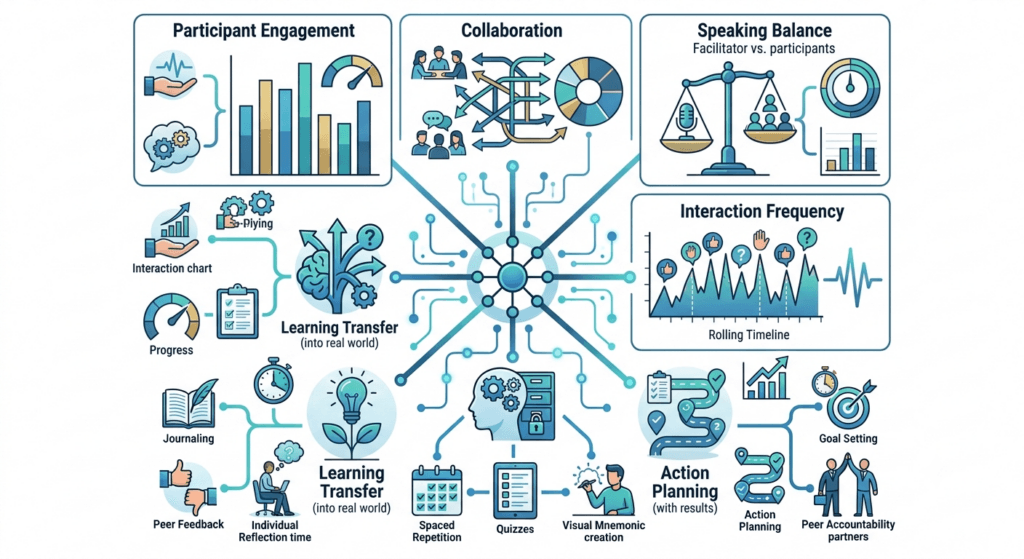
This is step five of the TrainerCentric Facilitation System, and the step almost everyone skips. Session feedback scores measure whether people enjoyed the room. They don’t measure whether facilitation actually happened, or whether anything changed afterward. If you want a genuine read on your own effectiveness, track these instead:
- Participation rate — what percentage of the group spoke, wrote, or otherwise actively contributed, not just attended? A session where 20% of the room did 80% of the talking is a facilitation failure regardless of the feedback score.
- Speaking ratio — roughly how much of total session time was you talking versus participants talking? Track it once, honestly (a simple stopwatch during a recording works), and most trainers are startled by the real number.
- Questions asked by participants — a rough proxy for genuine cognitive engagement, per the Room-Read Diagnostic above. Very few questions across a long session is a signal worth investigating, not just a sign of a smooth delivery.
- Application commitments made — not just “yes” on a feedback form, but specific, observable commitments captured through Action Planning.
- Poll or activity engagement rate — in virtual sessions, what percentage of attendees actually responded to polls or joined breakouts, versus sat passively?
- Reflection quality — a subjective but trainable read: are Learning Journal or Silent Reflection entries specific and personal, or generic and safe? Generic entries are a signal that psychological safety, not content, is your next problem to solve.
- Transfer indicators — the hardest to measure and the most important: did the specific behavior named in Action Planning actually show up at the desk weeks later? A short follow-up survey or manager check-in is the only reliable way to know.
None of these require expensive tooling — most can be tracked with a notepad and a bit of discipline. The point isn’t precision; it’s building the habit of measuring facilitation as a skill with observable outputs, rather than a vibe you either have or don’t.
.[Internal Link – How to Measure Training Effectiveness Using the Kirkpatrick Model]
The E.N.G.A.G.E. Facilitation Framework
This is step three of the TrainerCentric Facilitation System — the “facilitate effectively” layer, built from the pattern that runs through every technique above. Use it as a mental checklist for designing any session from scratch — it’s the backbone of the 90-minute sample workshop and the case study elsewhere in this guide.
- E — Energize: Open with something that lowers social risk and raises attention (Icebreakers, Speed Networking).
- N — Navigate: Set clear structure and expectations so participants know what’s coming and why (agenda, Parking Lot).
- G — Generate Discussion: Create the conditions for real dialogue, not performance (World Café, Fishbowl, Case Discussions).
- A — Activate Participation: Ensure every voice has a structural path into the conversation (Round Robin, Brainwriting, 1-2-4-All).
- G — Guide Reflection: Build in space to process meaning, not just experience activity (Silent Reflection, Learning Journals).
- E (2nd) — Encourage Action: Convert insight into a specific, owned commitment (Action Planning, TRIZ).
- E (3rd) — Evaluate Learning: Close the loop on whether the session actually achieved its objective (Micro Debriefs, Dot Voting on key takeaways).
Run any session plan through these seven checkpoints. If a stage is missing, that’s usually exactly where a session will feel unfinished — even if nobody in the room can articulate why.
Comparison Tables
Discussion Techniques
| Technique | Best For | Group Size | Time Needed |
| World Café | Multiple related topics | 20+ | 60–90 min |
| Fishbowl | Sensitive/complex topics | 12–40 | 25–40 min |
| Case Discussions | Applied judgment | Any | 30–60 min |
Reflection Techniques
| Technique | Best For | Group Size | Time Needed |
| Silent Reflection | Emotional processing | Any | 3–8 min |
| Learning Journals | Multi-day retention | Any | 5–10 min |
| Micro Debriefs | Locking in activity learning | Any | 3–5 min |
Decision-Making Techniques
| Technique | Best For | Group Size | Time Needed |
| Dot Voting | Prioritizing options | Any | 5–10 min |
| Affinity Mapping | Organizing raw ideas | Any | 15–25 min |
| 1-2-4-All | Full-group consensus | 20–200+ | 15–20 min |
Large-Group vs. Small-Group Techniques
| Group Size | Best-Fit Techniques | Avoid |
| Small (5–15) | Fishbowl, Peer Coaching, Role Plays | Open Space |
| Large (30+) | 1-2-4-All, Open Space, Lightning Talks | Round Robin, unstructured discussion |
Virtual vs. Classroom Techniques
| Format | Strongest Techniques | Weakest Techniques |
| Virtual | Brainwriting, Dot Voting, 1-2-4-All (all tool-supported) | Fishbowl, Speed Networking (harder without physical presence) |
| Classroom | Fishbowl, Gallery Walk, Role Plays | — |
The TrainerCentric Session Readiness Checklist™
Use this before, during, and after any session:
Before the session – [ ] Learning objective is written in one clear sentence – [ ] Each activity is mapped to a specific objective, not included “for engagement” alone – [ ] Techniques are matched to actual group size and format (virtual/hybrid/in-person) – [ ] Backup technique planned in case energy or timing shifts – [ ] Tools (whiteboard, polls, breakout assignments) tested in advance
During the session – [ ] Talking time kept under ~40% of total session time – [ ] Silence held for a full 7–10 seconds after open questions – [ ] Quieter participants deliberately invited in, not just louder ones followed – [ ] Every activity followed by a Micro Debrief – [ ] Remote/hybrid participants explicitly pulled into room-heavy discussions
After the session – [ ] Action Planning or commitment step captured, not just discussed – [ ] Parking Lot items followed up on – [ ] Quick self-debrief: what worked, what would I change next time – [ ] Follow-up touchpoint scheduled to check whether commitments actually happened.
Frequently Asked Questions
How many facilitation techniques should a trainer know?
There’s no magic number, but somewhere around 12–15 techniques you can run confidently, drawn from different categories (opening, discussion, reflection, closing), covers most corporate workshop needs. Depth of skill with fewer techniques beats shallow familiarity with dozens.
What is the difference between a facilitation technique and a training activity?
A training activity is any structured exercise. A facilitation technique specifically structures a process for the group to generate insight or decisions themselves, rather than simply completing a task the trainer designed for them to consume.
Which facilitation techniques work best online?
Techniques with built-in parallel structure — Brainwriting, Dot Voting, 1-2-4-All, breakout-based Think-Pair-Share — translate to virtual delivery with the least friction because they don’t depend on physical presence or spontaneous verbal turn-taking.
What are the best facilitation techniques for introverted participants?
Silent Reflection, Brainwriting, and Think-Pair-Share all build in individual processing time before any social exposure, which consistently produces stronger contribution from introverted participants than open discussion formats.
How long should a facilitation technique run?
It depends on the technique, but as a rule of thumb, virtual activities should run roughly half the time of their in-person equivalent, and any activity without a clear time box tends to expand to eat the whole session.
What’s the biggest facilitation mistake new trainers make?
Talking too much and rushing silence. Both come from the same discomfort — dead air feels like failure to a new facilitator, when it’s usually a sign that people are actually thinking.
Can facilitation techniques be used for one-on-one coaching, not just groups?
Several can, with adaptation — Silent Reflection, Peer Coaching’s underlying questioning model, and Action Planning all work well in one-on-one coaching conversations, not just group workshops.
How do I facilitate a workshop with mixed seniority levels in the room?
Favor anonymous or written-first techniques (Brainwriting, silent Dot Voting) before open verbal discussion — hierarchy suppresses honest contribution far more in live spoken formats than in anonymous written ones.
What facilitation techniques work for a one-hour session?
Tight time budgets favor techniques with fast setup: Think-Pair-Share, Round Robin, Dot Voting, and 1-2-4-All all deliver real engagement inside a 60-minute window without heavy logistics.
How do I keep hybrid participants equally engaged?
Give remote participants their own dedicated facilitator or co-host, use shared digital tools instead of physical-only artifacts, and deliberately alternate whose input you invite first between room and remote groups.
Do facilitation techniques work for technical training, not just soft skills?
Yes — Scenario-Based Learning, Case Discussions, and Role Plays all adapt well to technical content by replacing the “scenario” with a realistic technical troubleshooting or decision situation.
How do I know if my facilitation is actually working, not just well-received?
Look past the feedback form to the metrics covered above — participation rate, your own speaking ratio, and, most importantly, whether the specific commitments made in Action Planning actually happened weeks later. A session can score well and still fail to change anything.
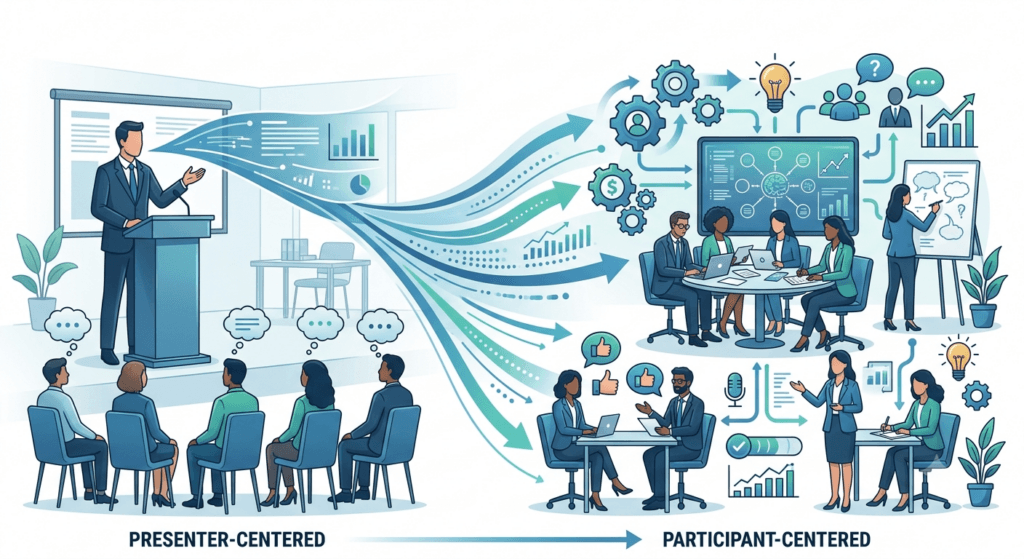
Ready to Take Your Facilitation to the Next Level?
The techniques in this guide will help you facilitate more engaging workshops. But if you’re looking for a complete facilitation resource that saves preparation time and gives you ready-to-use professional templates, we’ve created something for you.
The TrainerCentric Facilitation Toolkit includes professionally designed templates, planning worksheets, facilitation canvases, observation tools, activity planners, checklists, reflection journals, and practical resources used before, during, and after workshops.
Instead of creating everything from scratch, you’ll have a complete facilitation system that helps you design, deliver, and continuously improve your training sessions. Whether you facilitate classroom, virtual, or hybrid workshops, this toolkit is designed to become your go-to resource.
Conclusion
None of the 25 techniques in this guide are complicated. Round Robin is just going around the room in order. Dot Voting is just handing out stickers. What makes facilitation genuinely hard — and what the TrainerCentric Facilitation System above is really trying to capture — is judgment: knowing which of these simple tools the room needs right now, reading what’s actually happening beneath the surface, and having the discipline to change course when your plan isn’t working instead of pushing through it because it’s what you prepared.
The best facilitators in corporate learning aren’t the ones with the most polished slides or the most techniques memorized. They’re the ones who can read a room in real time and make it easy for a group of adults to think, disagree, build on each other, and commit to something they’ll actually do differently on Monday morning. That’s a skill built through repetition, not theory — so pick three techniques from this guide, run the Room-Read Diagnostic on your next session even informally, and build the rest of the System from there.
References
- The Skilled Facilitator: A Comprehensive Resource for Consultants, Facilitators, Managers, Trainers, and Coaches || 3rd Edition || Roger Schwarz || Jossey-Bass
- The Art of Gathering: How We Meet and Why It Matters || 1st Edition || Priya Parker || Riverhead Books
- Training from the BACK of the Room! 65 Ways to Step Aside and Let Them Learn || 2nd Edition || Sharon L. Bowman || Pfeiffer
- The Surprising Science of Meetings: How You Can Lead Your Team to Peak Performance || 1st Edition || Steven G. Rogelberg || Oxford University Press
- Facilitator’s Guide to Participatory Decision-Making || 3rd Edition || Sam Kaner, Lenny Lind, Catherine Toldi, Sarah Fisk & Duane Berger || Jossey-Bass
- Design for How People Learn || 2nd Edition || Julie Dirksen || New Riders
- The Workshop Survival Guide: How to Design and Teach Educational Workshops That Work Every Time || 1st Edition || Sam Killermann || Impetus Books
Further Readings
- Training Needs Analysis
- Job Task Analysis
- The ADDIE Model
- Writing Learning Objectives
- The Kirkpatrick Model
- Adult Learning Theory
- When Training Is NOT the Answer
- How to Handle Difficult Participants in Training
- 8 Icebreakers That Actually Work in Corporate Training
- 12 Facilitation Skills for Corporate Trainers: The Complete Guide + Free Template
- How to Facilitate Training Without Being An Expert
- How to Choose the Right LMS: A Complete Selection, Evaluation, and Implementation Guide
Author Details

Soumyadeep Sen is a Learning & Development professional with over 14 years of experience across training, coaching, quality, and performance improvement. Currently serving as Assistant Manager – Training at 24/7.ai, he specializes in designing practical learning solutions that drive employee performance and support business objectives. When he’s not designing learning programs, Soumyadeep enjoys exploring emerging trends in workplace learning, talent development, and instructional design. Reach out to him via Linkedin: https://www.linkedin.com/in/soumyadeep-sen-37515046/